25
to the sensor terminals “C” and “S” and slide the RAIN SENSOR switch to the “ON”
position and remove the link (if fitted). The looping can now be activated via the
sensor input, breaking the contact between the “C” and “S” terminals will cause the
looping program to stop till the contacts close again.
LOOPING PROGRAM
Once the looping program is enabled it is possible to gain access to its menu by
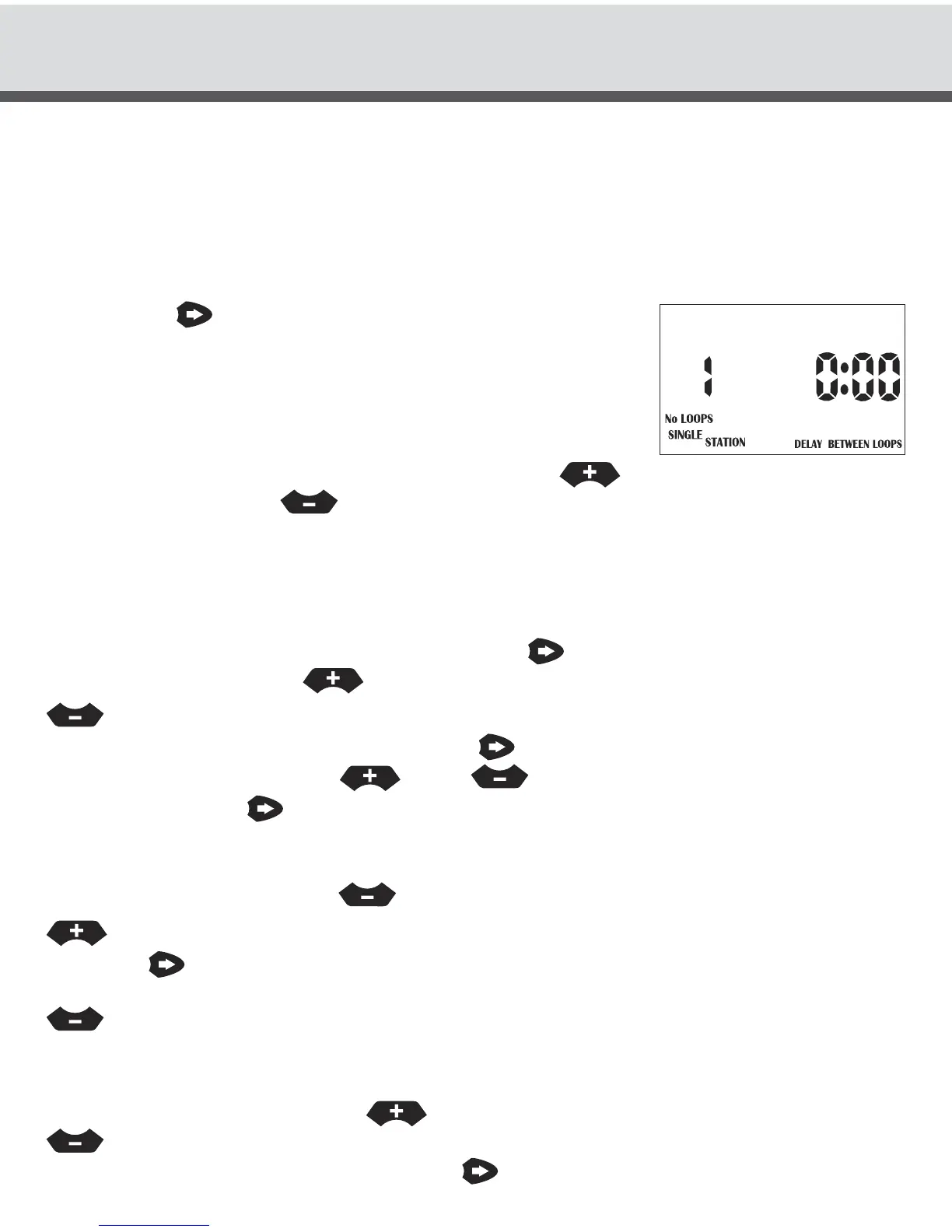
pressing the button. The No of loops will be flashing.
The display will show:
Select from 1 to 99 loops. “C” continuous
loop appears after 99, and should only be
used if a temperature probe has been connected.
To alter the number of loops that will occur use the button to increment the
number of loops or the button to decrement the number of loops. If the
letter “C” appears in the looping No’s digit, this means that the looping can now be
activated via the sensor input, breaking the contact between “S” and the “Com”
terminals will cause the looping program to stop till the contacts close again. This
system is used for frost control using a temperature probe.
To alter the delay time between loops press the button and the hours of the delay
time will flash. Press the button to increment the delay hours or the
button to decrement the delay hours.
To alter the delay between loops press the button, the minutes of the delay time
will now be flashing. Use the or the to increment or decrement the delay
minutes. Press the button again and the “SINGLE STATION” icon will flash.
This means that the looping will take control of the programs and only allow them to
run in the delay time between loops. If you would prefer to run in “MULTI STATION”
(concurrent) mode press the button. To return to exclusive mode press the
button.
Press the button and the “MIN” icon will flash. This means that the Station
run times will run Hours and Minutes. To run in Minutes and Seconds press the
button and the icon will show “SECS” flashing. For example if station had
12 hours 59 minutes programmed as it’s run time in the looping program, then in
Min/Sec mode this would be converted to 12 minutes 59 seconds. To change the
setting to Hours/Mins press the button. To set it back to Mins/Secs press the
button. This completes the steps required to set the looping program. To exit
the menu either turn the dial or press the button.
SPECIAL FUNCTIONS



 To Next Page