-21-
1. Only use the LAND mode on an area that is flat, clean, smooth
and free of obstacles.
2. Be sure to remove any dust, hairs or, other debris on the drone
before using the LAND mode. Otherwise, the movements of the
drone will be affected.
* In Land mode, the drone just glide over the floor when
moving.
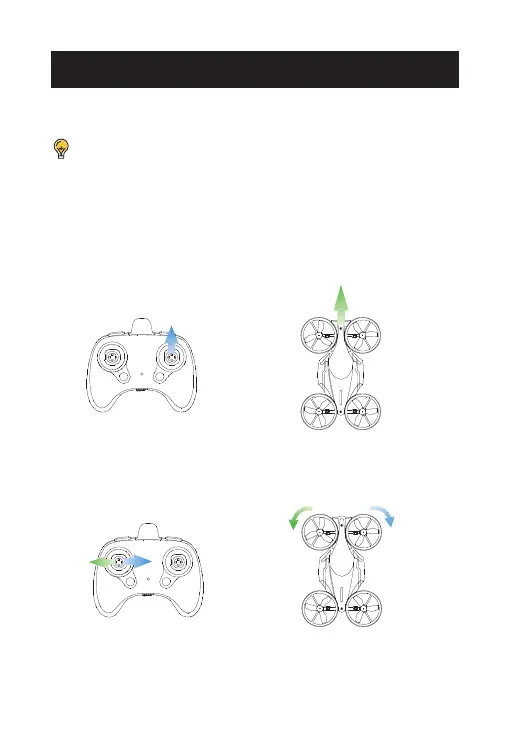
Push the right joystick up after the pairing. The drone will move
forward on the ground.
BASIC OPERATIONS
Simultaneously push the left joystick to the left or to the right to steer the
drone.
THE LAND MODE














 To Next Page