-23-
ATTITUDE ADJUSTMENT
TRIMMER
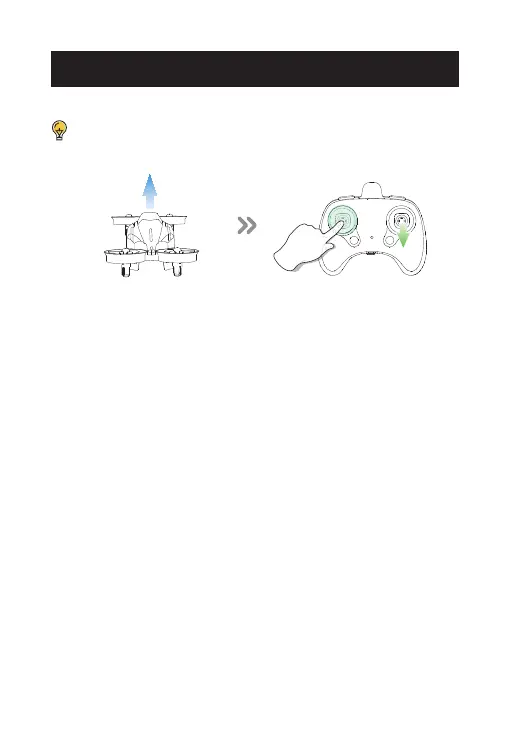
The Forward Trim
If the drone tends to drift forward:
1. Press down on the left joystick. The indicator light on the transmitter
will start to flash quickly, which means you can use the trim function
now;
2. Push the right joystick backward several times until the drone
stabilizes, i. e. stop drifting forward;
3. Push down on the left joystick again. The indicator light on the
transmitter turns from flashing quickly to solid, indicating that you have
exited the trim function.
* You can also fix the Backward/Sideward Trim using a similar
method, i.e., pushing the right joystick to the direction opposite the
drift.
If the drone drifts or is unstable in the air when there is no wind
at all, you can use the trim function to stabilize the drone.














 To Next Page