-14- -15-
L1 L2
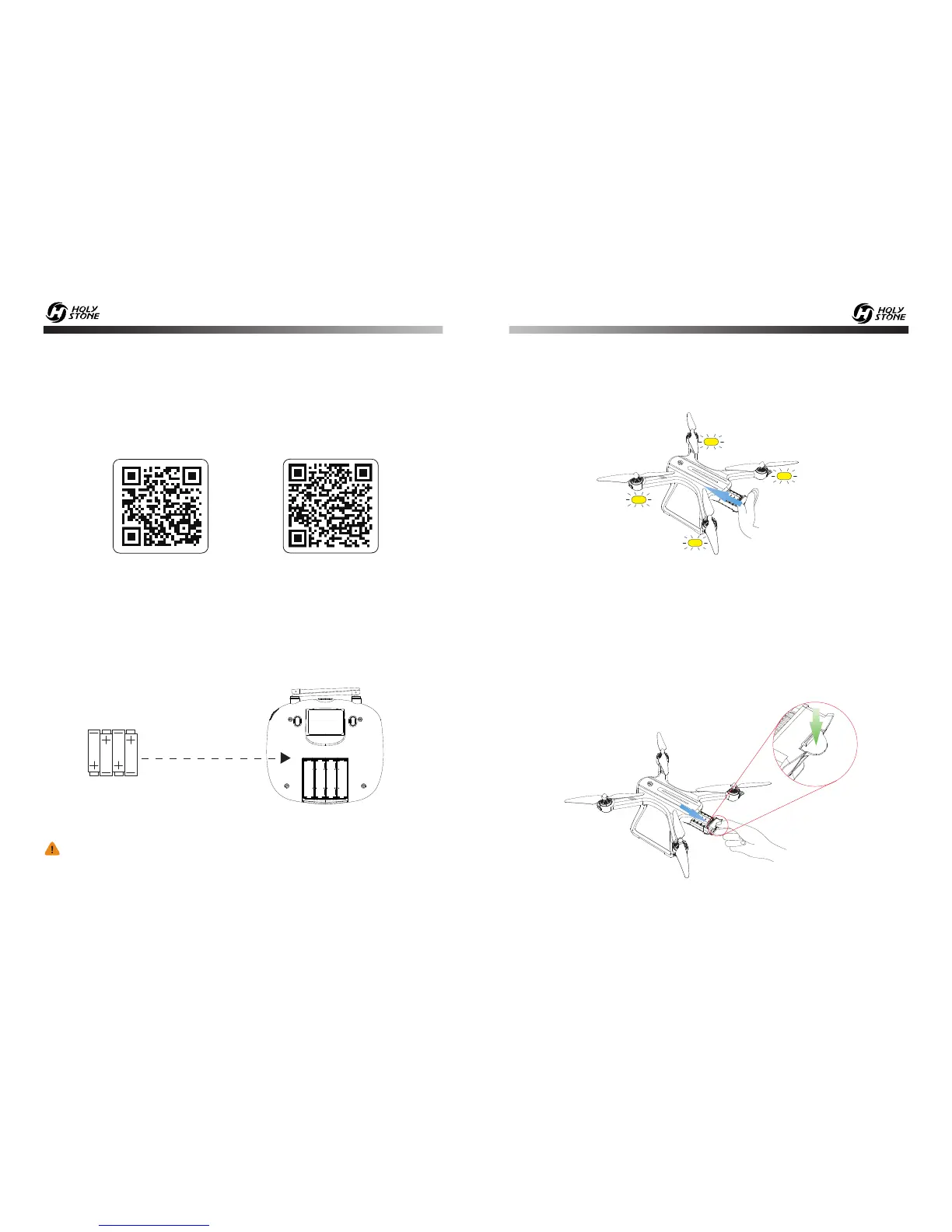
9.3 Drone’s Battery
9.1 Download APP
9.2 Transmitter’s Battery
4 x 1.5V AA
(Not included)
InstallI batteries to
the transmitter
Always pay close attention to battery polarity when installing the
batteries to make sure they are fitted correctly.
Push the battery into the battery compartment, the yellow LED lights of the
drone will flicker quickly.
Make sure that you hear a click sound indicating the battery is firmly
installed.
Press the buckle on the back of the battery while pulling backwards to
remove the battery.
Installation:
① Connect the Battery, Charge Transfer Box, Balance Charger and USB
Charging Cable.
② Connect the USB Charging Cable to Power Bank or a USB Adapter
(5V/2.0A )for charge.
All of the following operations on this manual under MODE 2.
Battery Removal:
iOS
Android APP on Google play
9.0 OPERATION GUIDE
- - - - - - - - - - - - - - - - - - - - - - - - - - - - - - - - - - - - - - - - - - - - - - - - - - - - - - - - - - -
Scan the QR code, connect to the App Store™ or Google™ Play
and download the “ Ophelia GPS ” application for free.
- - - - - - - - - - - - - - - - - - - - - - - - - - - - - - - - - - - - - - - - - - - - - - - - - - - - - - - - - - -













 To Next Page