13
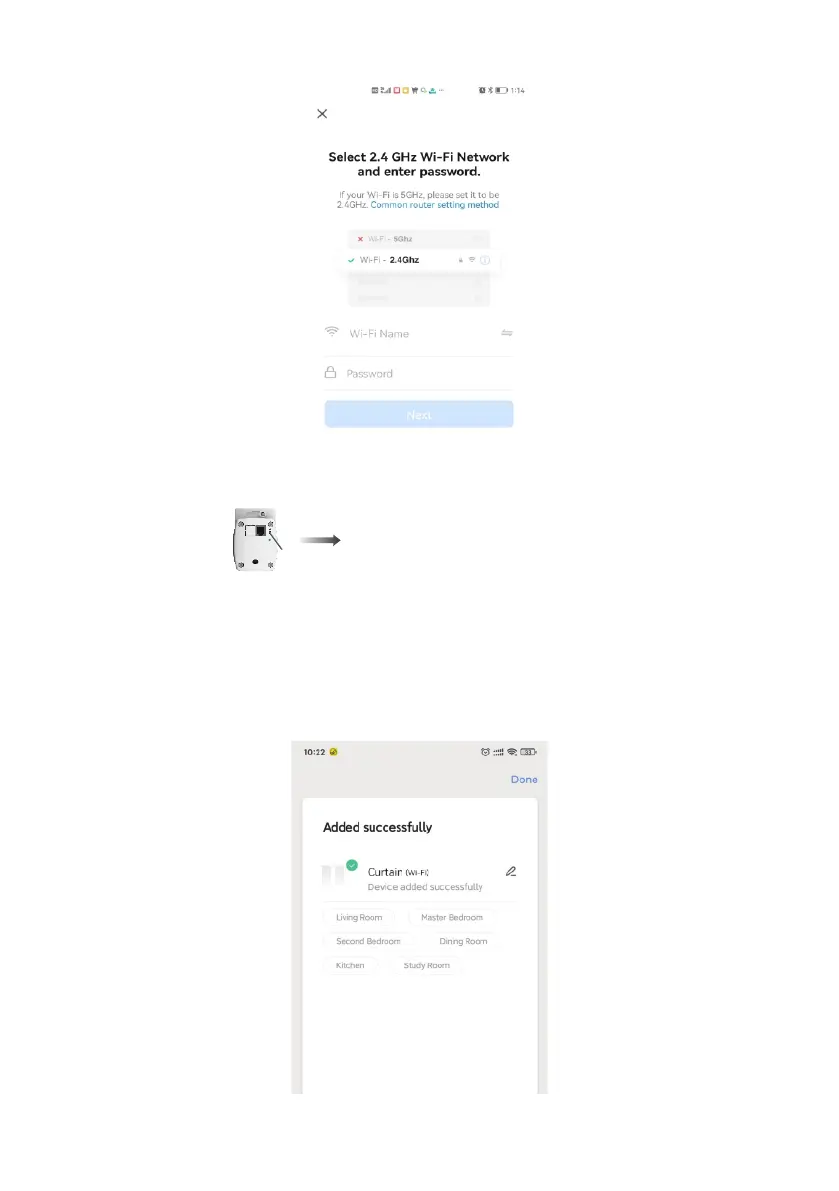
6.Type the password of your home Wi-Fi, then click 'Next' on the pop-up window.
7. The red LED indicator shows that it will timeout in two minutes. After two minutes, the red LED indicator will
automatically turn off if there is no state change. if the pairing is successful, the red LED indicator will turn off.
Pairing is successful.
8. Wait for the pairing to complete, then press 'Done' on the top right corner. It will go to the manage page. If there
are multiple devices ready for connection, you will be directed to the device list.
Tips:
a. For voice control, the name you gave the device will be used again when paired to Amazon Alexa or Google
Home -keep this in mind.
b. The device name should consist of English words and Arabic numerals - do not use special characters.


 To Next Page