Page 12 HP-4960-1TB: v1.0
10. Alarm Setup
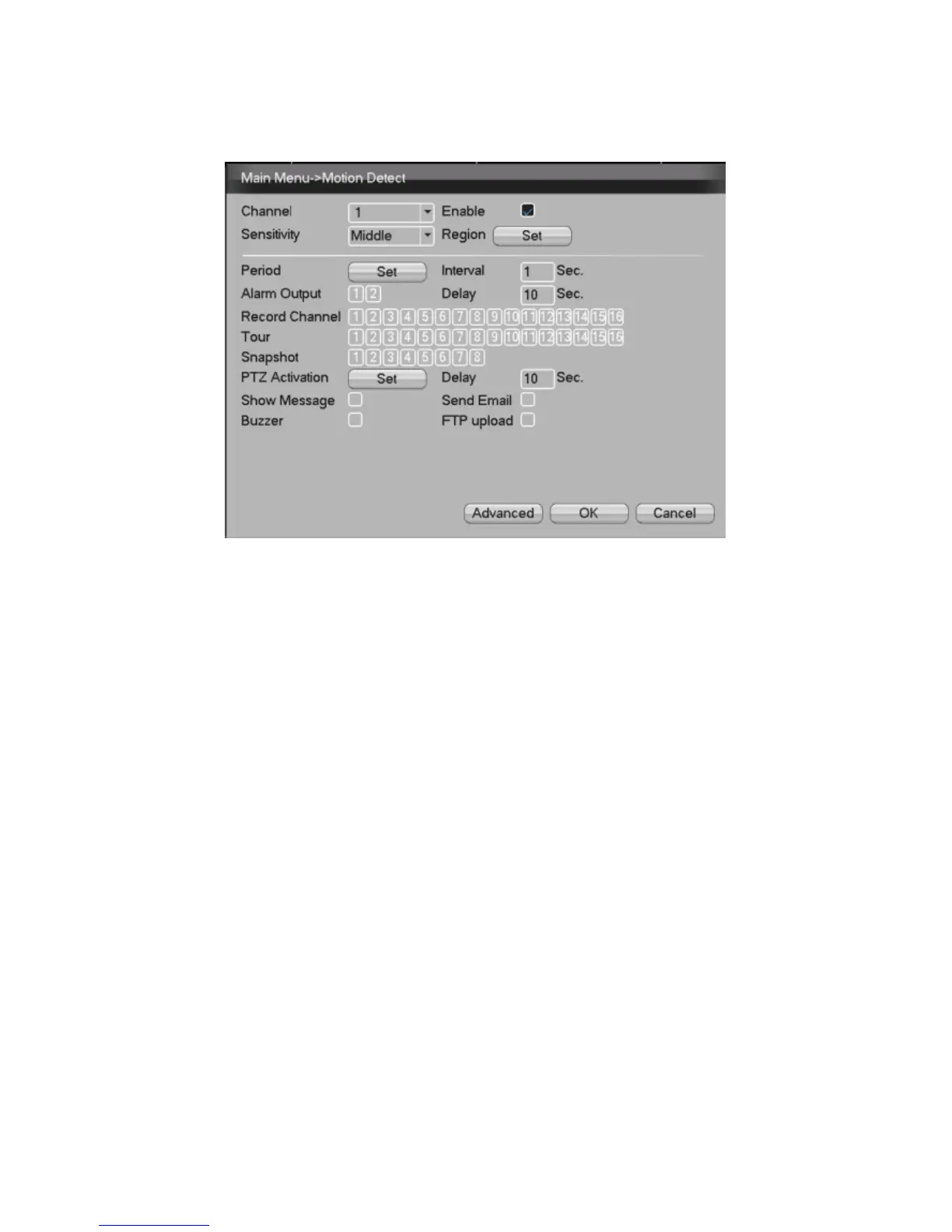
Picture 6 - Motion Detection
Example: Set DVR to alarm mode, create a linkage record
and set the PTZ turn to a preset position when there is a
moving object in designated areas during Monday to
Friday.
1. Select【Main Menu】>【Alarm】>【Alarm Set】,
then select Alarm Type.
2. Select a channel and sensitivity level, then set
the time period of alarm surveillance. Set the
monitor area by clicking “set” (default setting is all
areas), then right click to return to Settings.
3. When in alarm mode, the DVR can perform
linkage measures. Alarm Output, Record
Channel, Tour, PTZ Activation, Show Message,
Send Email and Buzzer.



 To Next Page