Page 6 HP-4960-1TB: v1.0
6. Recording Configuration
The DVR will default to record permanently from all
connected cameras. Alternatively you can set the
recording parameters in the Record Configuration menu.
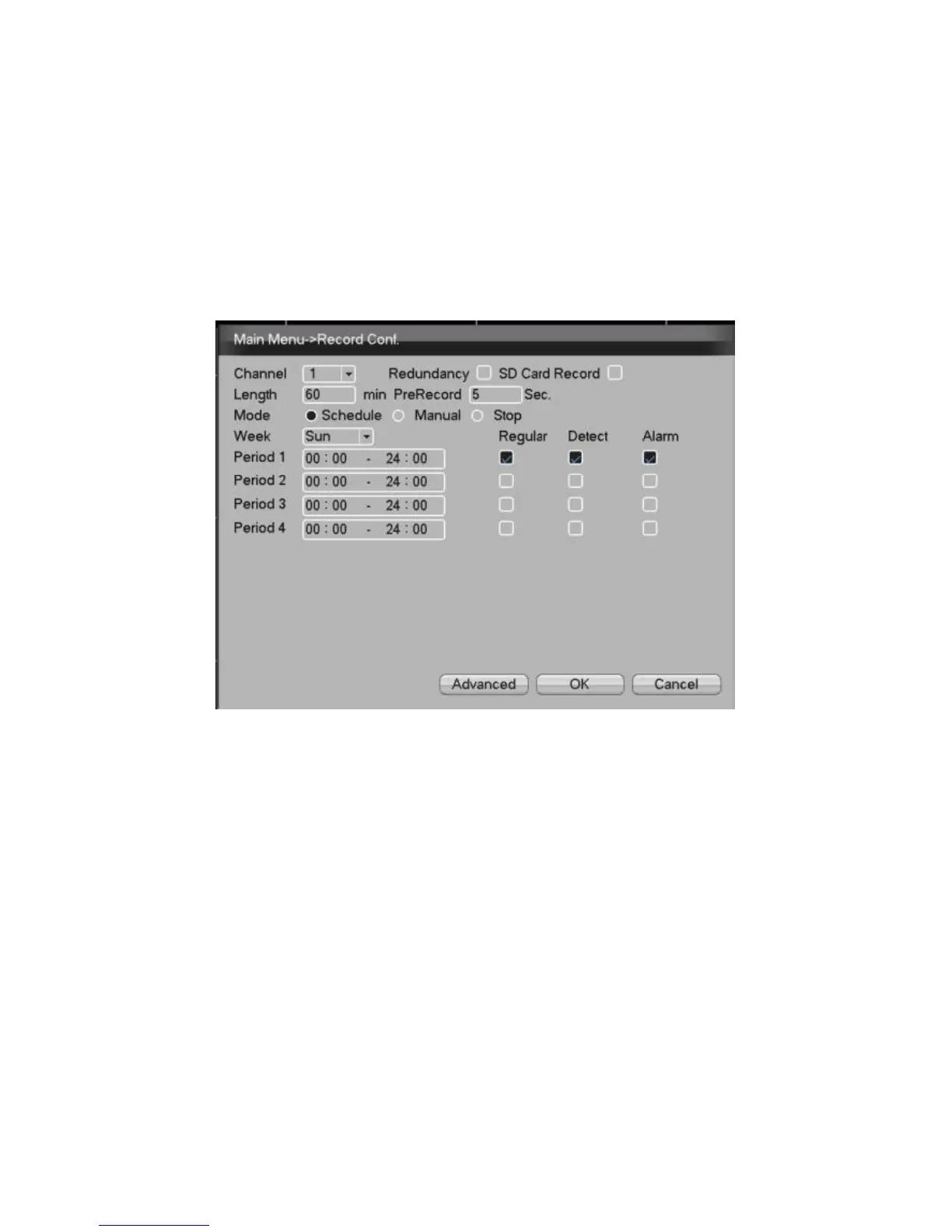
Select [Main Menu]> [Record]> [Record Config] to set.
Picture 2 - Record Config
【Channel】Choose the corresponding channel
number to set the channel. Choose the “all”
option to set all channels.
【Redundancy】Choose the recording file and
backup for two devices. One is read-write disk,
another is redundant disk.
【Length】Set the time length of each video file.
60minutes is default length.



 To Next Page