Page 8 HP-4960-1TB: v1.0
Alarm:Trigger the external alarm signal in the set time
section. When above alarm is set as opening recording,
the “detection recording” state is on. The video file type is
“A”.
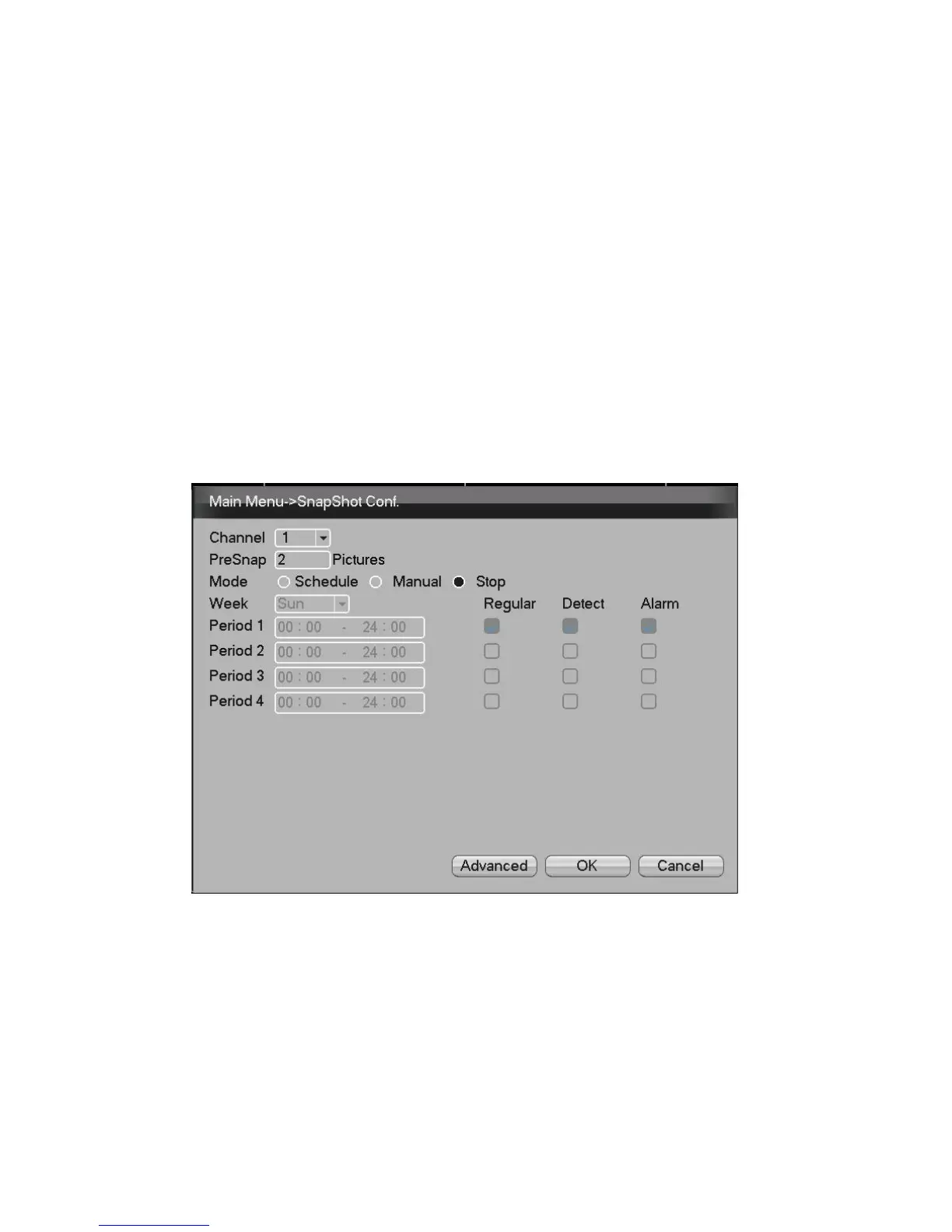
7. Snapshot Storage. (partial devices supported)
Setup snapshot parameters for different channels. please
go to [Main Menu]>[Record]>[Snapshot Storage] for ther
appropriate settings.
NB: For normal snapshot storage, please setup Snap at
[Main Menu]>[Advanced]>[HDD Manage]>[Snapshot].
Picture3 - Snapshot Storage


 To Next Page