22
Controls (P 169)
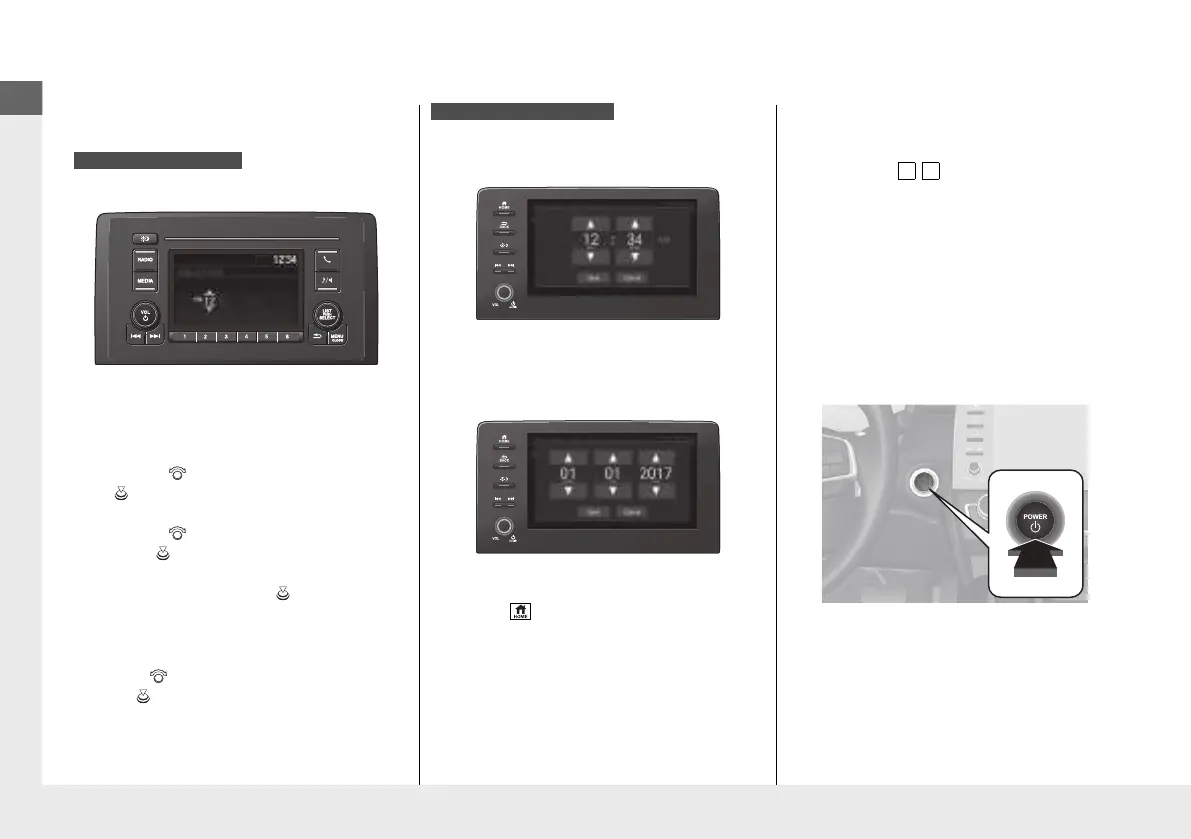
Clock
(P170)
a
Press and hold the MENU/CLOCK
button.
b
Rotate to change hour, then press
.
c
Rotate to change minute, then
press .
d
Select Set, then press .
These indications are used to show how to
operate the selector knob.
●
Rotate to select.
●
Press to enter.
To adjust time
To adjust date
a
Press , then select Settings.
b
Select System, then Day & Time.
c
Select Set Date & Time.
d
Select Automatic Date & Time, then
select OFF.
Models with Display Audio
e
Select Set Date or Set Time.
f
Adjust the dates, hours and minutes by
selecting / .
g
Select Save to set the date or time.
The clock is automatically updated through
the audio system.
POWER Button
(P196)
Press the button to change the vehicle’s
power mode.
21 INSIGHT-31TXM6200.book 22 ページ 2020年2月5日 水曜日 午前10時0分














 To Next Page