Using your USB connector, connect the iPod to the USB ports, then select the USB
mode.
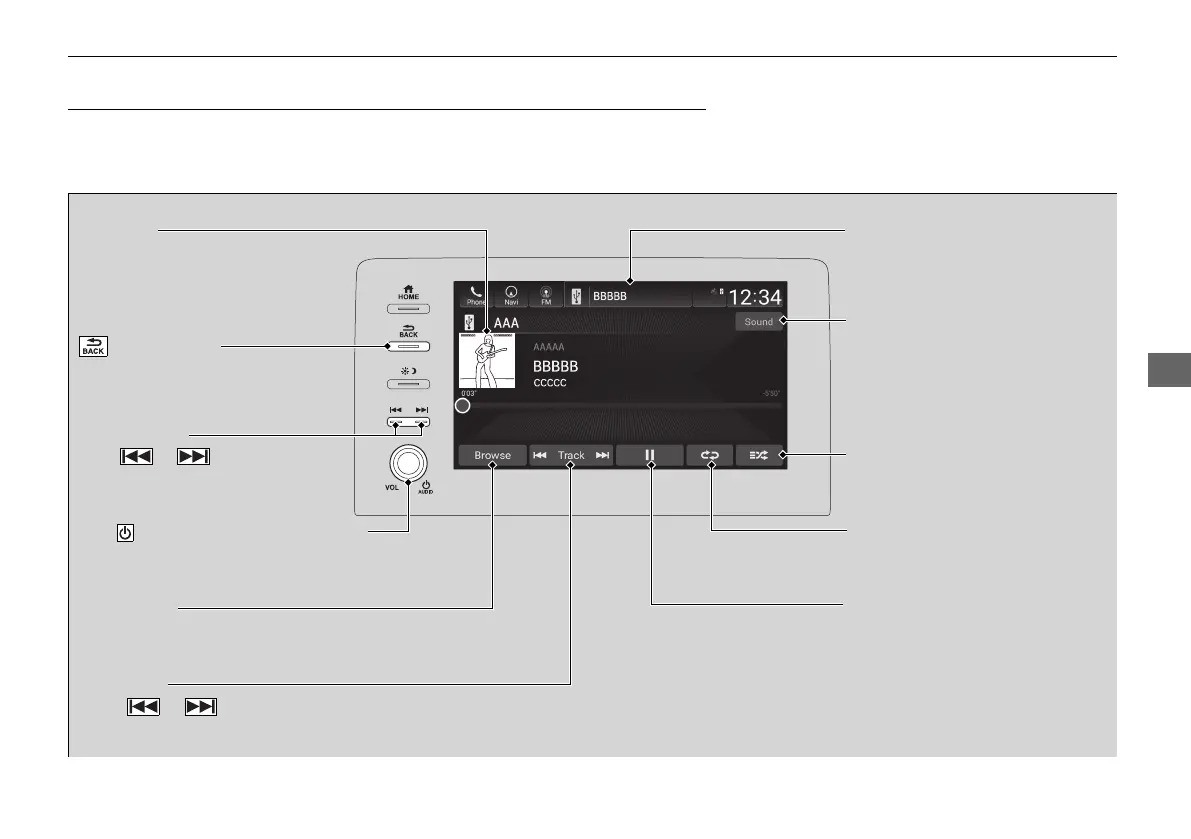
(Back) Button
Press to go back to the previous
display.
Track Buttons
Press or to change songs.
Select and hold to move rapidly
within a song.
VOL/ AUDIO (Volume/Power) Knob
Push to turn the audio system on and off.
Turn to adjust the volume.
Cover Art Audio/Information Screen
Play/Pause Icon
S
ound Icon
Select to display the sound
settings.
Shuffle Icon
Select to play all songs in the
current category in random order.
Track Icons
Select or to change songs.
Select and hold to move rapidly within a song.
Browse Icon
Select to display the music search list screen.
Repeat Icon
Select to repeat the current song.














 To Next Page