365
Continued
Customized Features
Use the audio/information screen to customize certain features.
■
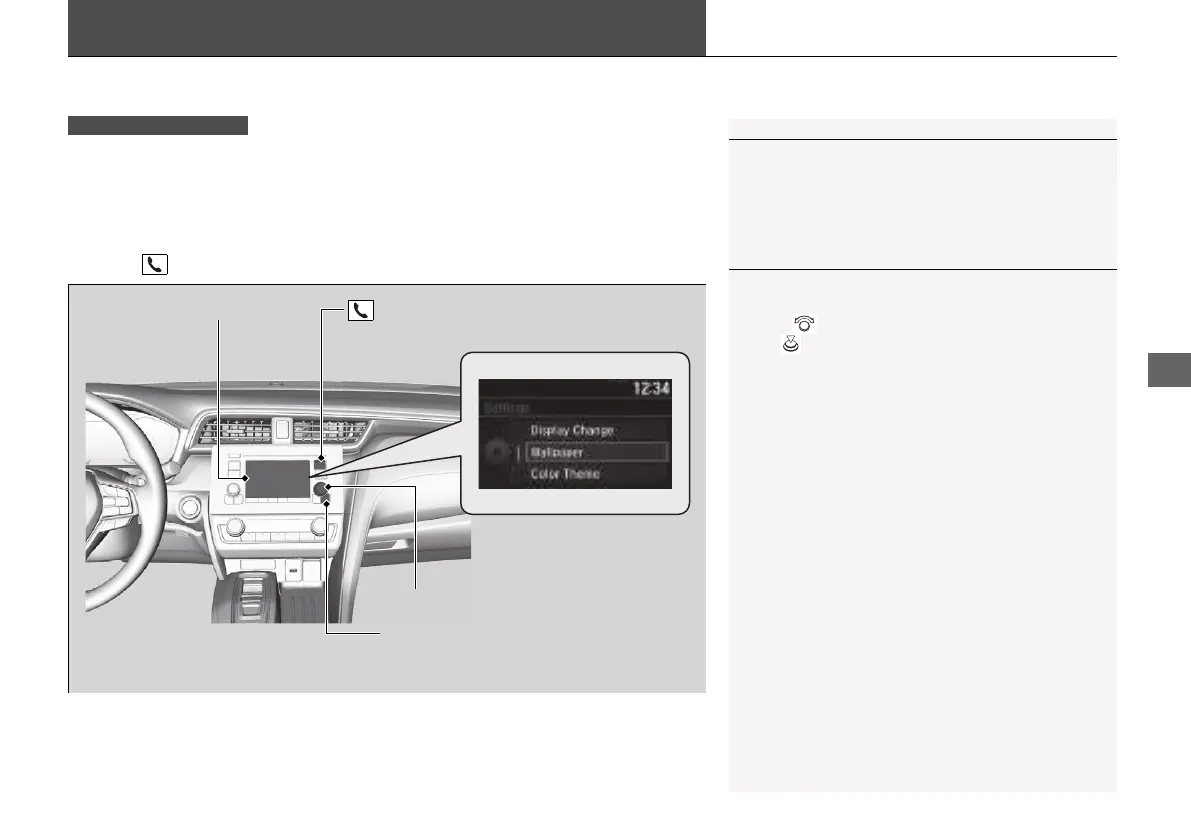
How to customize
While the vehicle is at a complete stop with the power mode in ON, press the
MENU/CLOCK button, then select Settings. To customize the phone settings,
press the button, then select Phone Setup.
1Customized Features
When you customize settings:
• Make sure that the vehicle is at a complete stop.
• Put the transmission into
(P.
1How to customize
These indications are used to show how to operate
the selector knob.
Rotate to select.
Press to enter.
Audio/Information Screen
MENU/CLOCK Button
Selector Knob
(Phone) Button
21 INSIGHT-31TXM6200.book 365 ページ 2020年2月5日 水曜日 午前10時0分














 To Next Page