Continued
257
uuAudio System Basic OperationuPlaying an iPod
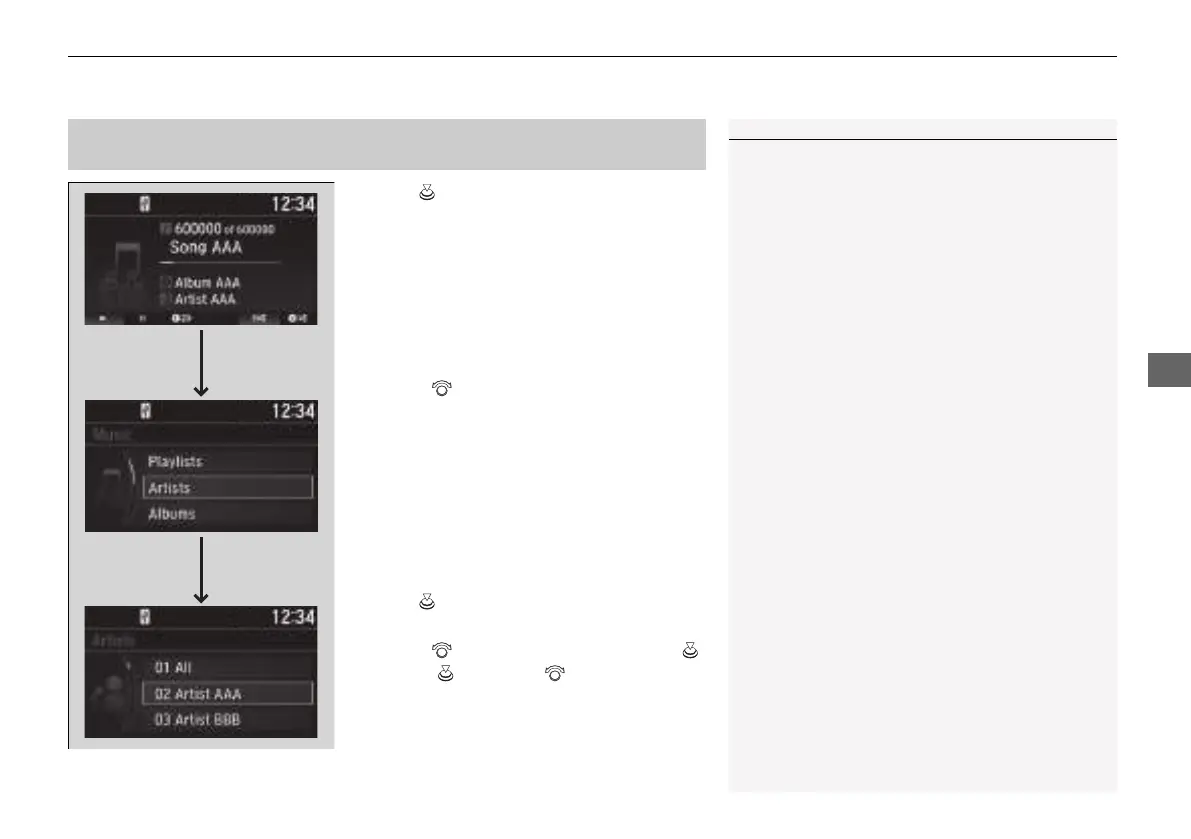
1. Press to display the iPod music list.
2. Rotate to select a category.
3. Press to display a list of items in the
category.
4. Rotate to select an item, then press .
u Press and rotate repeatedly until a
desired item you want to listen is
displayed.
■
How to Select a Song from the iPod Music List with the
Selector Knob
1Playing an iPod
Available operating functions vary on models or
versions. Some functions may not be available on the
vehicle’s audio system.
If there is a problem, you may see an error message
on the audio/information screen.
2 iPod/USB Flash Drive P. 338
Item
Selection
Category
Selection
21 INSIGHT-31TXM6200.book 257 ページ 2020年2月5日 水曜日 午前10時0分














 To Next Page