285
uuAudio System Basic OperationuSystem Updates
■
Update the audio system
1. Select .
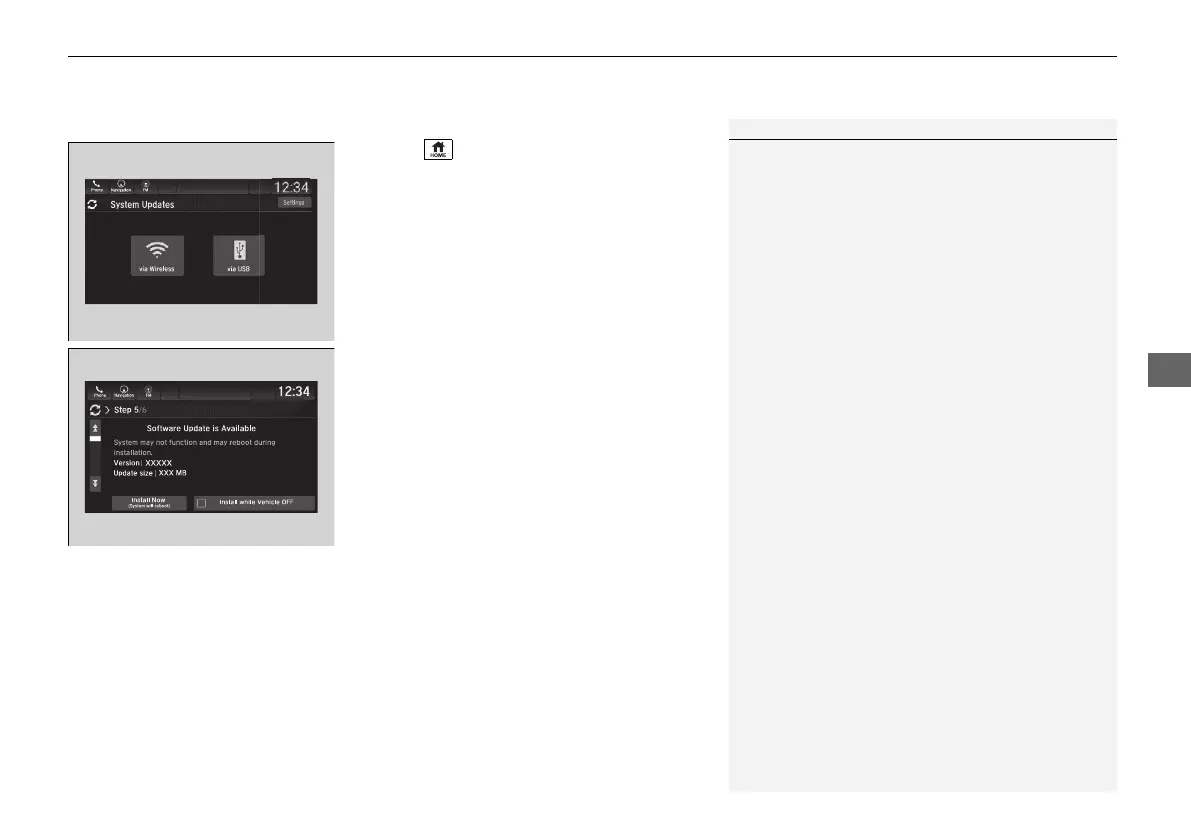
2. Select System Updates.
3. Select via USB.
u A notification appears on the screen.
4. Connect the USB device with the update
files into the USB port.
u A notification appears on the screen.
2 USB Ports P. 241
5. Select Install Now or Install while
Vehicle OFF.
u A notification appears on the screen if
the update is successful.
1Update the audio system
If Install while Vehicle OFF is selected and the user
turns the vehicle back on after the update has been
completed, for 3 to 5 minutes the system will rebuild
the applications, during which time the Honda logo
will be displayed.
21 PILOT-31TG76500.book 285 ページ 2020年3月18日 水曜日 午後4時38分



 To Next Page