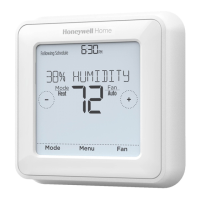
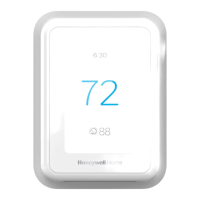
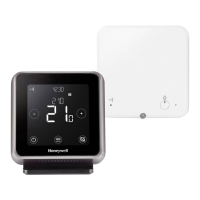
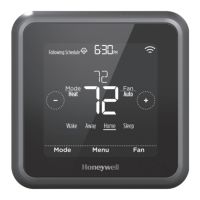
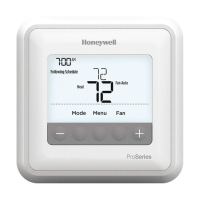
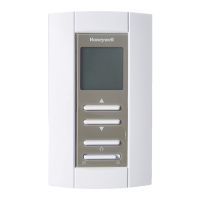
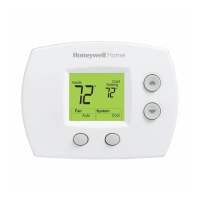
T3PROGRAMMABLETHERMOSTAT
INSTALLERMENU
ToentertheInstallermenupressthebutton
andthen untilthedisplaychanges(approx.after3secs)
SpecificApplications Setting What doyouneedtochange?
CpH
(cycle perhour)
Minimumon
Time(min)
Note:
a. Tochangecycleperhour
b. To changeminimumONtime
Heating GasBoilers
(30kW)
6 1 Noactionrequired
OilBoiler 3 4 a. SetminimumONtimeto4minutes.
b. Setcycleperhourto3.
Thermal
Actuator
12 1 Setcycleperhourto12.
Zonevalve 6 1 Noactionsrequired
SpecialFeatures Description
Opentherm® By connectingtheT3MtoanOpenTherm®appliancevariousspecificdatacanbe viewed.The
dataisdependingonwhattheapplianceisproviding.
Heatrange Thenormallowertemperaturelimitof5°C canbeincreasedupto21°C
toprotecttheinhabitantsfromcold.Usefuliftheinhabitantsincludetheelderly,childrenor
disabled.Thenormaluppertemperaturelimitof37°C
canbereduceddownto21°C tosavethehomeownerenergy.Usefulifthehomeownerrents
totenants.
Scheduleoptions The thermostathasthe7daysbydefault,howeveritcanbechangeto7daysfordifferent
scheduleeachdayoftheweekor1dayforhavingthesamescheduleduringtheweek
Externaltemperature
sensor (onlyforwired
versions)
Anexternaltemperaturesensorcanbefitted,allowingthethermostattocontrolthe
temperaturefromanotherroomorspace,whereitisinconvenienttolocatethethermostat.
Itwillreadtheremotesensorevery1minute.Thesensorcanbeconnectedupto50meters
fromtheunit.Usefulforcommercialpremiseswherethepublicmaytamperwiththeproduct
Optimisation (optimum
start,optimumstopand
delayedstart)
OptimumStart:learnshowlongittakesyoursystemtoreachthetemperatureyouwant.It
turnsontheheatingsystemearliertomakesureit’scomfortableatthescheduledtime.
OptimumStop:Savesenergyandmoneybyswitchingoffalittlebitearlierthanthenormal
programmedtime.Ifthehomeisuptotemperature,itwillnotnoticetheeffectonthe
temperature,butwillshowadifferenceinthefuelbill.
Delayedstart:Savesenergybyslightlydelayingthestartofheatingdependingonthe
differencebetweenthescheduledtemperatureandtheactualroomtemperature.
Clocksetting Changedisplayformat(default24hr)andadjusttimeanddate.
Temperatureoffset IftheThermostatislocatedinahot/coldlocationandcannotbemovedbecauseofwiring
thenthemeasured/displayedtemperaturecanbeadjustedby+/‐ 3°C.Usefulifthe
homeownerwantsthereadingtomatchanotherappliancetemperaturedisplay.
Binding(onlyforT4R) MenutobindtheThermostatandtheReceiverbox,testtheRFsignalstrengthoftheradio
communicationandtoclearanexistingbinding.
Reset Reset thethermostatbacktofactorydefaultsettings,resetthescheduletodefault.
Failsafe Whenthetemperaturesensorfails(T3,T3M)ortheradiocommunicationbetweenthe
ThermostatandtheReceiverboxislostthedevicewillcyclethedemand20%On/80%Off


 To Next Page
 Loading...