EasyManua.ls Logo

Honeywell 50608 - User Manual

Honeywell 50608
10 pages
Print Icon
To Next Page IconTo Next Page
Loading...
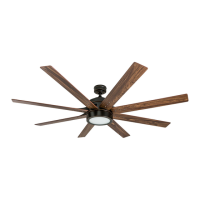
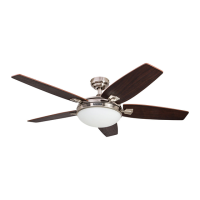
Xerxes Ceiling Fan
User Guide
Model #50608, 50609
Home

Questions and Answers

  • K
    kimnicoleAug 9, 2025
    Why is my Honeywell 50608 Fan remote not working?
    • T
      Tiffany FloresAug 9, 2025
      The Honeywell Fan remote may not be working due to a power surge that cleared its memory, requiring re-syncing. To re-sync, turn off the main power, then turn it back on. Within 30 seconds, press and hold the high and low speed buttons on the remote at the same time for 5 seconds. The LED indicator will flash 3 times, signaling a successful synchronization. Once complete, the fan will start on the low speed with the light (if applicable) off. Also, make sure that the remote has a new 12V battery. If you have several remote fans nearby, turn off the power to the other fans and re-sync the problematic one.
  • V
    vgutierrezAug 16, 2025
    How to make my Honeywell Fan quieter?
    • J
      Joseph ZamoraAug 17, 2025
      To reduce noise from your Honeywell Fan, check and tighten all screws that hold the fan blades to the blade arms and the motor. Replace any cracked blades. Avoid using a full range dimmer switch to control the fan speed. Ensure the outlet box is secured to the building structure, and that the mounting bracket is secured to the outlet box with tight screws.
  • C
    Cameron FrenchAug 25, 2025
    How to fix a Honeywell Fan that wobbles a lot?
    • S
      Sandra CollinsAug 25, 2025
      If your Honeywell Fan wobbles excessively, start by checking and tightening all screws that hold the fan blades to the blade arms and the blade arms to the motor. You can also try switching one blade with a blade from the opposite side, or balance the fan using the blade balancing kit. Additionally, turn off the power, loosen the canopy, and verify that the mounting bracket is secure to the electrical outlet box, ensuring it's flush without movement. Check that the outlet box is secure. If the issue persists, consider using a longer downrod (sold separately) or moving the fan to another location. Finally, lift up the yoke cover and tighten the set screws on the yoke until secure.
  • R
    Ralph FergusonSep 1, 2025
    What to do if my Honeywell 50608 Fan does not turn on?
    • S
      Shannon CastroSep 1, 2025
      If your Honeywell Fan does not move, firmly push the reverse switch completely left or right. Ensure the wall switch is turned on. Check that the power is on and the fuse (breaker) is working. Turn the power off and check all connections at the ceiling outlet box.

Summary

Safety Information

Preparation and Initial Installation

Mounting Options

Details on choosing between Standard, Angle, and Closemount installation methods for optimal fan placement.

Initial Installation Steps

Instructions for installing the mounting bracket and preparing the motor assembly for connection.

Installation Procedures

Standard or Angle Mount

Step-by-step guide for assembling the downrod, yoke, and receiver for standard or angled ceiling mounts.

Closemount Installation

Optional instructions for installing the fan using a closemount configuration, bypassing the downrod.

Final Wiring and Canopy Attachment

Guidance on connecting fan wires to household supply and securing the canopy to the mounting bracket.

Blade, Light Kit, and Remote Installation

Instructions for attaching fan blades, light kit, lens cover, and setting up the remote control.

Operating Instructions

Remote Operation

Details on using the remote control buttons for fan speed, light control, and special modes like Light Delay Off.

Reverse Switch Functionality

Explanation of the reverse switch for seasonal performance, affecting downward or upward airflow.

Troubleshooting

Fan Not Moving or Noisy

Corrective actions for issues where the fan does not move or operates with excessive noise.

Fan Wobble and Light Issues

Solutions for excessive fan wobbling and troubleshooting problems with the fan's lights not working.

Remote Control Not Working

Steps to resolve issues with the remote control, including resynchronization and battery replacement.

Warranty and Parts

Limited Lifetime Warranty

Overview of the manufacturer's limited lifetime warranty for the fan motor and one-year warranty for other parts.

Replacement Parts List

Catalog of available replacement parts with corresponding model numbers for easy identification.

Honeywell 50608 Specifications

General IconGeneral
Power SourceCorded Electric
Speed Settings3
Remote ControlNo
Speeds3
Voltage120V
MaterialPlastic
Corded ElectricYes

Related product manuals