EasyManua.ls Logo

Honeywell 50616 - User Manual

Honeywell 50616
10 pages
Print Icon
To Next Page IconTo Next Page
Loading...
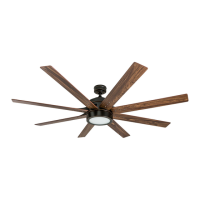
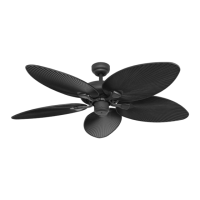
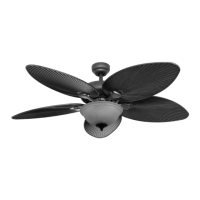
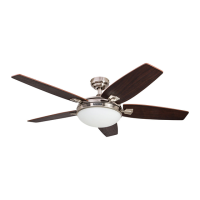
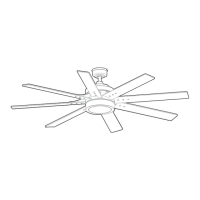
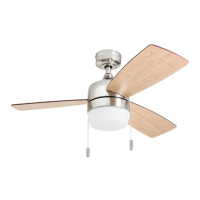
Barcadero Ceiling Fan
User Guide
Model #50616, 51475, 51476,
51625
Home

Questions and Answers

  • G
    gtorresAug 7, 2025
    What to do if my Honeywell 50616 Fan is noisy?
    • J
      Jessica AndersonAug 7, 2025
      If your Honeywell Fan is making noise, try the following: 1. Check and tighten all screws that hold the fan blades to the blade arms and the motor. 2. Replace any cracked blades. 3. Avoid using a full range dimmer switch to control the fan speed. 4. Make sure the outlet box is securely attached to the building structure. 5. Ensure the mounting bracket is secured to the outlet box and that the screws are tight.
  • L
    Lauren BurnsAug 14, 2025
    What to do if my Honeywell Fan does not move?
    • H
      heatherdayAug 14, 2025
      If your Honeywell Fan isn't moving, here's what you can do: 1. Firmly push the reverse switch completely to the left or right. 2. Ensure the wall switch is turned on. 3. Turn the power on or check the fuse (breaker). 4. Turn the power off and inspect all connections at the ceiling outlet box.
  • B
    benderryanAug 21, 2025
    Why is my Honeywell Fan wobbling excessively?
    • R
      rvalenciaAug 21, 2025
      If your Honeywell Fan wobbles excessively, there are several things you can check: 1. Make sure all screws that hold the fan blades to the blade arms, and the blade arms to the motor, are tightened. 2. Try switching one blade with a blade from the opposite side, or use a blade balancing kit to balance the fan. 3. Turn off the power, loosen the canopy, and check that the mounting bracket is secure to the electrical outlet box. The bracket should be flush against the outlet box without any movement. Also, verify that the outlet box itself is secure. 4. Consider using a longer downrod (sold separately) or moving the fan to a different location. 5. Lift up the yoke cover and tighten the set screws on the yoke until they are secure.
  • M
    Mark JacksonAug 29, 2025
    What to do if my Honeywell Fan operates correctly but the lights are not working?
    • Q
      qelliottAug 29, 2025
      If your Honeywell Fan is working but the lights aren't, try these steps: 1. Make sure the 9-pin connectors are properly secured. 2. Turn off the power and check all connections at the ceiling outlet box.

Summary

Package Contents

Hardware Contents

Safety Information

Care and Maintenance

Preparation

Parts and Tools Check

Ensure all parts are present and gather required tools for assembly.

Mounting Options Overview

Details standard, angle, flushmount, and closemount installation types.

Initial Installation

Mounting Bracket Installation

Instructions for attaching the mounting bracket to the outlet box.

Standard or Angle Mount Instructions

Downrod Assembly and Wiring

Steps for feeding wires, assembling the downrod, and securing it to the motor assembly.

Connecting Downrod to Bracket

How to connect the downrod ball end to the mounting bracket, ensuring proper alignment.

Secondary Hanging System

Installation Requirements

Details secondary support requirements for Canada and optional US installation.

Securing the Support Cable

Instructions for looping and tightening the braided cable around the ceiling brace.

Final Installation

Electrical Wiring

Guide for connecting fan wires to household supply wires using connectors.

Canopy Installation

Steps for aligning and securing the canopy to the mounting bracket screws.

Final Assembly Details

Blade and Arm Attachment

How to attach fan blades to the blade arms using screws and washers.

Light Kit, Bowl, and Chains

Steps for connecting the light kit, glass bowl, and pull chain extensions.

Operating Instructions

Fan and Light Controls

Explains how to use pull chains for fan speed and light on/off.

Reverse Switch Operation

Details the use of the reverse switch for seasonal airflow optimization.

Troubleshooting

Fan Operation Issues

Corrective actions for a fan that does not operate, is noisy, or wobbles.

Light Functionality Issues

Solutions for problems where the fan operates but the lights do not.

Limited Lifetime Warranty

Replacement Parts

Honeywell 50616 Specifications

General IconGeneral
BrandHoneywell
Model50616
CategoryFan
LanguageEnglish

Related product manuals