First Alert Professional Security Systems (FA168CPS / FA148CP)
This document describes the features, operation, and maintenance of the First Alert Professional Security Systems, models FA168CPS and FA148CP. The FA168CPS model offers expanded capabilities, including more user codes, schedules, and pager options, which are noted where applicable.
Function Description
The First Alert Professional Security System provides comprehensive protection against burglary, fire, and other emergencies. It features:
- Burglary Protection: Multiple arming modes (Stay, Night-Stay, Away, Instant, Maximum) to suit different occupancy needs. Zones can be bypassed, and a Chime mode alerts to open doors/windows when disarmed.
- Fire Protection: Always active (if installed), sounding an alarm and sending signals upon fire detection. Manual fire alarm initiation is also possible via the keypad.
- Emergency Protection: Dedicated panic keys can be programmed to trigger silent, audible, personal, or fire alarms, sending signals to a Central Monitoring Station if connected.
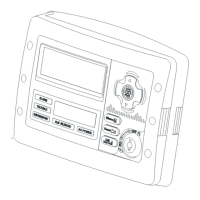
- Keypads: Provide system control and status display. Alpha display keypads offer 2-line, 32-character alphanumeric messages with custom zone descriptors, while fixed-word display keypads use pre-designated words. Voice keypads (if installed) offer voice announcements of system status, voice chime, and a message center for recording/playback.
- Voice Message Center (Voice Keypads only): Allows recording and playback of one message up to 2.5 minutes long. The message remains in memory until overwritten. Volume is adjustable.
- Paging Feature: Can automatically send system condition messages (arming/disarming, alarms, troubles, latch-key reports) to up to four (FA168CPS) or two (FA148CP) pagers. Manual paging is also supported.
- Scheduling: End-user programmable schedules (up to 16 for FA168CPS, 4 for FA148CP) can automate events like arming/disarming, output device control, user access, and latch-key reports.
- Event Logging: Records various system events in a history log (up to 100 for FA168CPS, 50 for FA148CP), viewable chronologically from most recent to oldest.
- Device Commands: Allows control of certain lights or other devices, some of which can be automatically or manually turned on/off.
- Phone Access (if Phone Module included): Permits remote system access via a touch-tone phone, offering synthesized voice messages for status, and remote arming/disarming with voice confirmation.
- Keyswitch (if installed): Provides an alternative method for arming and disarming the system, with red and green lights indicating system status.
- Partitions (FA168CPS only): Provides two independent areas of protection, each with its own zones and users, plus a common zone area shared by both partitions. Keypads are assigned a default partition but can access others via the GOTO command if authorized. Multi-partition arming is also supported.
Important Technical Specifications
- Security Codes: Supports a 4-digit master code and additional user codes (47 for FA168CPS, 31 for FA148CP) with different authority levels (Standard User, Arm Only, Guest, Duress Code, Partition Master).
- Macro Keys: "A", "B", "C", "D" keys can be programmed to activate up to 16 keystrokes, storing macros for common command sequences. Up to four (FA168CPS) or two (FA148CP) macros can be assigned.
- Entry/Exit Delays: Configurable exit and entry delays (two entry delays possible for primary and secondary entrances) to allow users to leave and re-enter without triggering an alarm. Instant and Maximum arming modes bypass these delays.
- Wireless Sensors: Each wireless sensor uses a 9-volt or 3-volt battery. Battery life is typically 1 year for alkaline and 4+ years for lithium, depending on environmental factors and usage.
- Event Log Capacity: 100 events for FA168CPS, 50 events for FA148CP.
- Regulatory Compliance: FCC Part 15 (Radio Frequency Emissions), Industry Canada ICES-003 (Class B digital apparatus), FCC Part 68 (Telephone/Modem Interface), Industry Canada Terminal Equipment Technical Requirements. Ringer Equivalence Number (REN) ensures proper telephone line loading (sum of RENs not to exceed 5).
Usage Features
- Arming/Disarming:
- Standard Arming: Enter security code + desired arming key (STAY, AWAY, INSTANT, MAXIMUM).
- Quick Arming: Press [#] + desired arming key (except Night-Stay) if programmed. Disarming always requires a security code.
- Single-Button Arming: Press and hold a pre-programmed function key (A, B, C, or D) for 2 seconds.
- Step Arming: Repeatedly press a programmed function key to cycle through increasing security levels (Armed-STAY, Armed Night-STAY, Armed-AWAY).
- Disarming: Enter security code + [OFF] key.
- Checking Open Zones: Press [*] (without code) to display faulted zones before arming.
- Bypassing Zones: Enter security code + [BYPASS] [6] + 2-digit zone numbers. Quick Bypass (security code + [BYPASS] [6] + [#]) bypasses all open zones.
- Chime Mode: Enter security code + [CHIME] [9] to toggle on/off. Voice Chime (if installed) can be toggled with [#] FUNCTION + [0] VOICE + [2] VOLUME + [4].
- Date and Time: View with master code + [#] + [6] [3] or a programmed function key. Set with master code + [#] + [6] [3], then [*] to enter edit mode.
- Panic Functions: Press and hold a programmed lettered key for 2 seconds, or press both keys of an assigned key pair.
- Macro Key Activation: Press and hold the programmed Macro key for 2 seconds, then enter your security code.
- Device Activation/Deactivation: Enter security code + [#] + [7] (activate) or [8] (deactivate) + 2-digit device number.
- Multi-Partition Access (FA168CPS): Enter security code + [*] + partition number (0, 1, 2, or 3) on an Alpha keypad.
- Multi-Partition Arming (FA168CPS): Enter security code + [0] + arm command (e.g., 2 for AWAY, 1 for disarm).
Maintenance Features
- Weekly System Testing: Test the system weekly and after any alarm. Disarm, then enter master code + [TEST] [5] + [0] (walk test). Listen for sounder, fault zones (open doors/windows), walk in front of motion detectors, and test smoke detectors. Exit test mode with security code + [OFF] [1].
- Silencing Low Battery Tones: Press the [OFF] key. The low battery message will persist until the battery is replaced.
- Replacing Wireless Sensor Batteries: Replace weak batteries with recommended types. The sensor will send a "good battery" signal upon activation (opening/closing) or automatically clear within 1 hour.
- Routine Care:
- Avoid slamming protected doors or windows.
- Keep keypads and sensors free of dust.
- Clean keypads and sensors with a dry, soft cloth; do not spray liquids.
- Trouble Conditions: Keypad displays "CHECK" and beeps for trouble conditions. Press any key to silence beeping. Enter security code + [OFF] twice to clear display after correcting the problem. If problems persist, call for service.
- Smoke Detector Reset: After a fire alarm, enter security code + [1] to reset smoke detectors.
- Telephone Operational Problems: If issues arise, disconnect the control from the phone line by removing the plug from the phone wall jack. If regular phones work, call for service. If the phone line still has problems, notify the telephone company. Do not attempt internal repairs.

 Need help?
 General

 To Next Page