Getting Started
9
Upgrading Your Device’s Firmware
Before you begin using your camera, make sure you have the latest firmware installed. You can upgrade
a single device or multiple devices at the same time.
To upgrade a single device:
1.
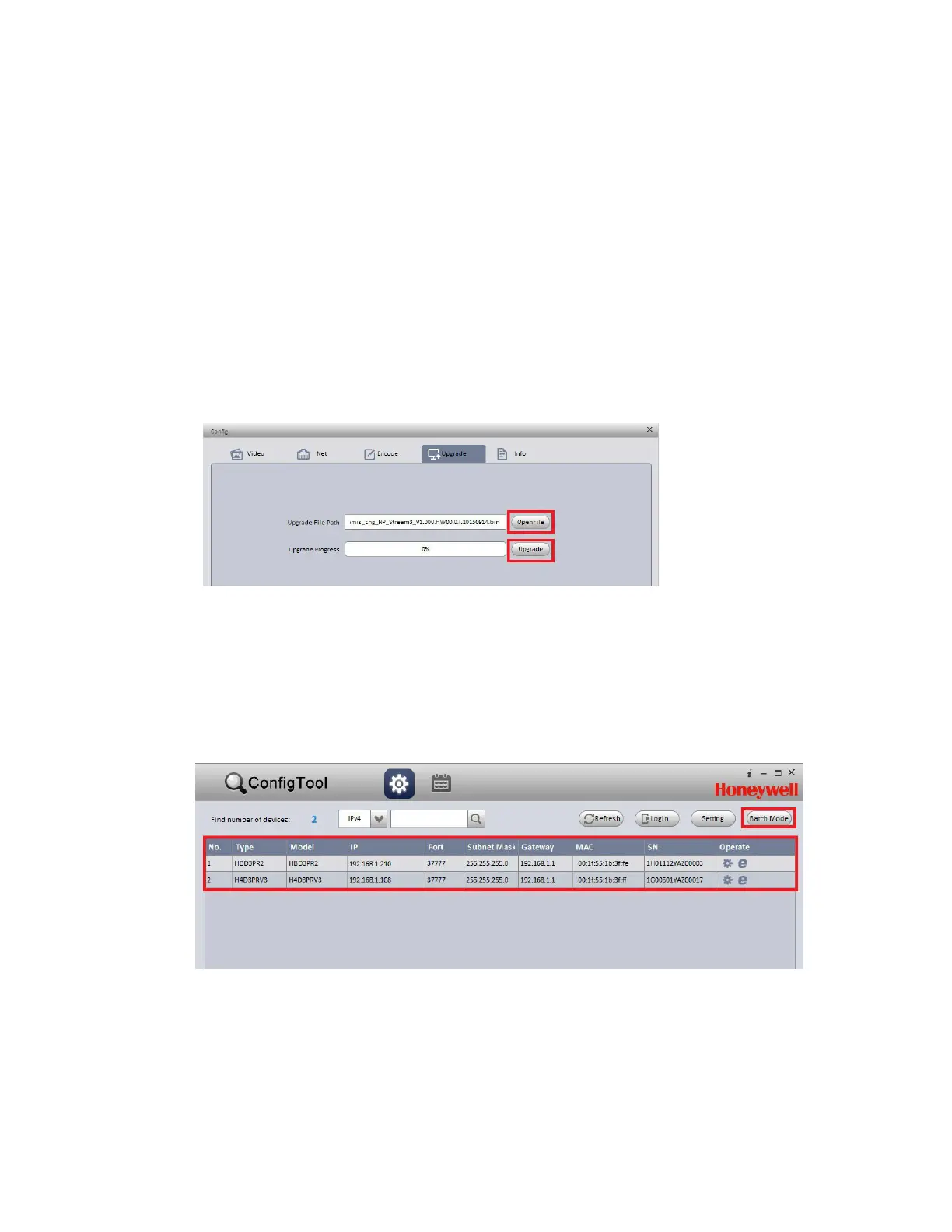
From the list of devices in ConfigTool, click the device that you want to upgrade.
2.
Click Login, type the login user name and password for the device (the default user name is
admin and the default password is 1234), and then click OK.
3.
On the Config screen, click the Upgrade tab.
4.
Click OpenFile, navigate to the directory that contains the firmware file, and then click Upgrade.
Figure 2-3 Upgrade Screen
When the upgrade is complete, the device will reboot. While the device is rebooting, the message
"Device is offline: [device IP address]" appears.
To upgrade multiple devices simultaneously
1. In ConfigTool, click Batch Mode.
Figure 2-4 Select Batch Mode
2. From the list of devices, click all of the devices that you want to upgrade, and then click Start.



 To Next Page
 Loading...