Performance Series IP Camera Software Configuration Guide
8
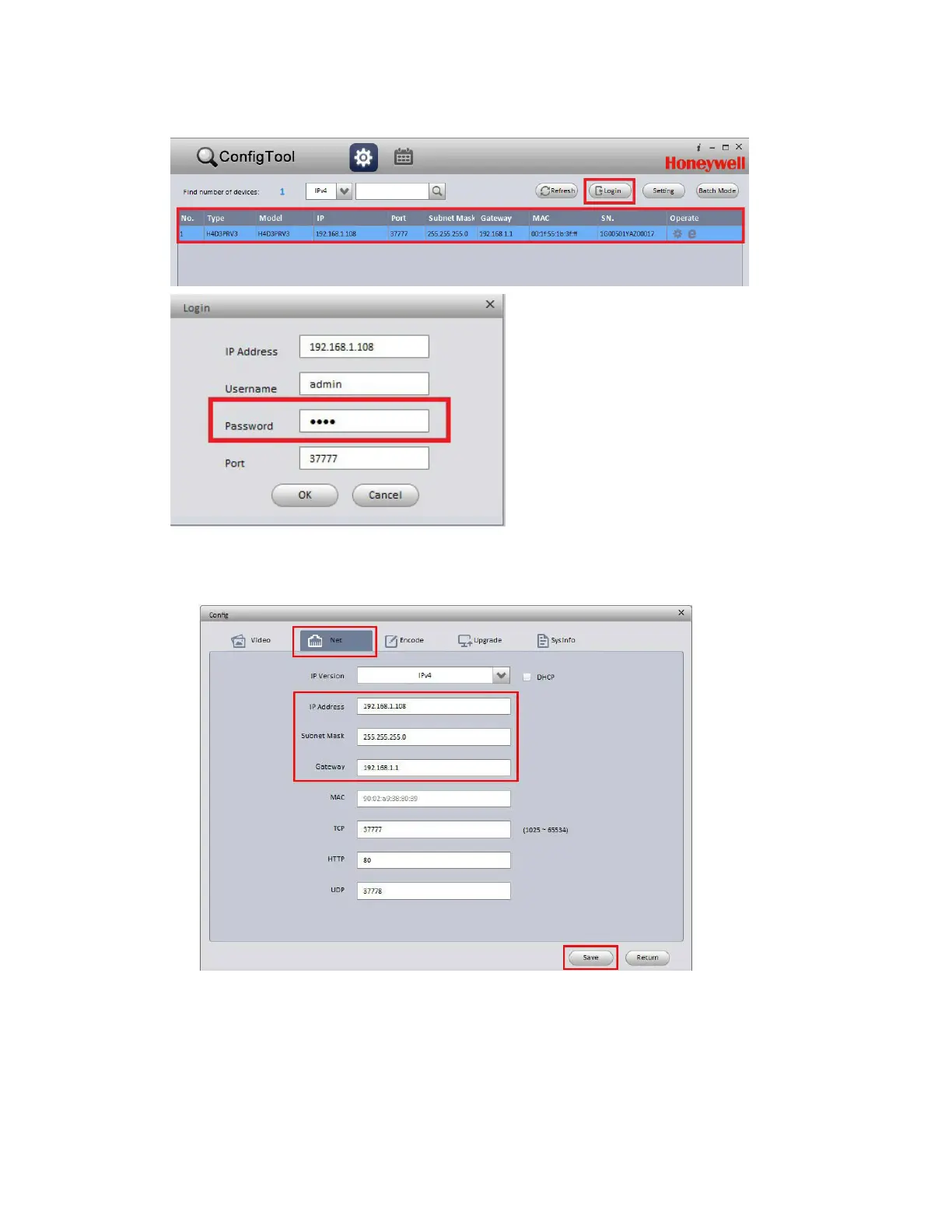
Figure 2-1 Log In to a Device
3.
On the Config screen, click the Net tab, type the new IP settings in the IP Address, Subnet Mask,
and Gateway fields, and then click Save.
Figure 2-2 Network Settings

 To Next Page
 Loading...