Need help?
Do you have a question about the Honeywell T10 Pro Smart and is the answer not in the manual?
Automatic switching between heat and cool with differential settings.
Utilizes backup heat for heat pump systems when needed.
Select Auto, On (continuous), or Circulate (intermittent) fan modes.
Steps to select a network and enter password on the thermostat.
Steps to link the thermostat to the Honeywell Home mobile app.
Steps to turn on and verify Wi-Fi is enabled on the thermostat.
Select a network and enter password to establish connection.
Steps to turn off Wi-Fi on the thermostat.
Steps to disconnect from a selected Wi-Fi network.
Set one schedule for all days or group weekdays/weekends.
Create custom schedules for individual days of the week.
Adjust time, priority, temperature, and fan settings for each period.
Choose location-based, smart, or time-based scheduling via app.
Use smartphone location to adjust temperature automatically.
Turn schedules on/off or switch to geofencing.
Modify the geofence radius on the map in the app.
Check breakers, power switches, wiring, and C-wire connection.
Verify system mode, temperature settings, and circuit breakers.
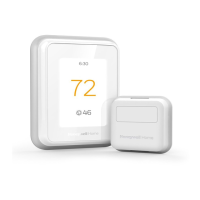
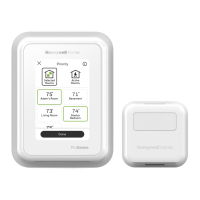
Steps to connect wireless sensors and add them to the thermostat.
 General
| Brand | Honeywell |
|---|---|
| Model | T10 Pro Smart |
| Category | Thermostat |
| Language | English |

 To Next Page