EasyManua.ls Logo

Honeywell TB7220 - User Manual

Honeywell TB7220
24 pages
Print Icon
To Next Page IconTo Next Page
Loading...
PRODUCT DATA
63-2636-03
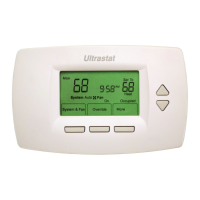
TB7220 Ultrastat
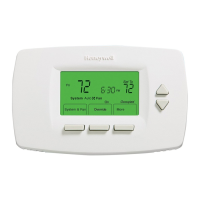
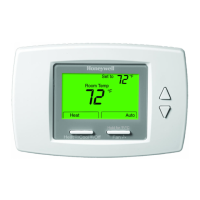
Programmable Thermostat
APPLICATION
The TB7220 Ultrastat Programmable Thermostat is an
effortless, seven-day programmable thermostat that provides
universal system compatibility, precise comfort control and is
easy-to-program.
The TB7220 provides temperature control for gas, oil, electric
and heat pumps for up to 2 heat, 2 cool systems.
FEATURES
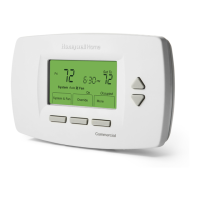
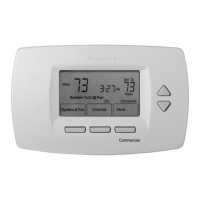
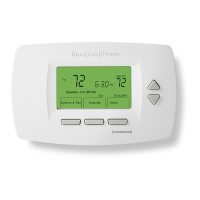
Large, clear display with backlight shows the current
and set temperature and time—even in the dark.
Menu-driven programming make setup effortless.
Beautiful ergonomic design is smart and sophisticated
to match your customers’ lifestyle.
Real-time clock keeps time during power failures and
automatically updates to daylight savings.
“Saving Changes” notification lets you know when the
schedule changes have been saved.
Change reminders let you know when to replace the
batteries.
Holiday Override options allow you to override the
program schedule, as desired.
Speedy same-schedule programming—no need to
copy multiple days.
Armchair programming allows you to remove the
thermostat from the wall for programming.
Contents
Application ........................................................................ 1
Specifications ................................................................... 2
Ordering Information ........................................................ 2
Installation ........................................................................ 4
Wiring ............................................................................... 5
Installer Setup .................................................................. 12
Operation .......................................................................... 17
Troubleshooting (Table 10) ............................................... 22

Questions and Answers

  • K
    Kenneth GallegosSep 3, 2025
    Why does my Honeywell Thermostat heat pump put out cool air in heat mode?
    • M
      megan09Sep 4, 2025
      If your Honeywell Thermostat's heat pump is putting out cool air in heat mode and warm air in cool mode, the changeover valve (ISU 0190) might not be configured correctly. Set the changeover valve (ISU 0190) to match the changeover required by the installed heat pump.
  • A
    adrianbridgesSep 18, 2025
    Why is 'Cool On' not showing on my Honeywell Thermostat?
    • S
      Sonya JohnsonSep 18, 2025
      If 'Cool On' is not displayed on your Honeywell Thermostat, the system setting might not be set to Cool, and/or the temperature setting is not set below room temperature. Set the system setting to Cool and set the temperature setting below the room temperature.
  • J
    jessehawkinsSep 16, 2025
    Why is 'Heat On' not showing on my Honeywell TB7220 Thermostat?
    • H
      Holly AlexanderSep 16, 2025
      If 'Heat On' is not displayed on your Honeywell Thermostat, the system setting might not be set to Heat, and/or the temperature setting is not set above room temperature. Set the system setting to Heat and set the temperature setting above the room temperature.
  • V
    veronicapaulSep 14, 2025
    Why can't I set my Honeywell TB7220 Thermostat to cool?
    • T
      Tammy WilsonSep 14, 2025
      If you cannot set the Honeywell Thermostat system setting to Cool, it might be because the System Type (ISU 0170) is set to Heat Only or Heat Only with Fan. Set the System Type (ISU 0170) to match the installed heating and/or cooling equipment.
  • M
    Maria DavisSep 12, 2025
    Why can't I set my Honeywell Thermostat to heat?
    • D
      Diana HaleSep 13, 2025
      If you cannot set the Honeywell Thermostat system setting to Heat, the System Type (ISU 0170) might be set to Cool Only. Set the System Type (ISU 0170) to match the installed heating and/or cooling equipment.
  • T
    Terry SandovalSep 12, 2025
    Why won't my Honeywell TB7220 Thermostat's heating equipment turn off?
    • K
      Kim MeyerSep 12, 2025
      If your Honeywell Thermostat's heating equipment does not turn off, and the heat temperature setting is below room temperature (Heat On is not in the display), it's possible that the heating equipment is not a heat pump, but the System Type (ISU 0170) is set to Heat Pump. Set the System Type (ISU 0170) to match the installed heating and/or cooling equipment.
  • D
    Dana JonesSep 9, 2025
    Why are heating and cooling running at the same time on my Honeywell TB7220 Thermostat?
    • M
      Mckenzie AlvaradoSep 9, 2025
      If both heating and cooling equipment are running simultaneously with your Honeywell Thermostat, it could be because the heating equipment is not a heat pump, but the System Type (ISU 0170) is set to Heat Pump. Set the System Type (ISU 0170) to match the installed heating and/or cooling equipment. Also, heating and cooling wires might be shorted together. Separate the shorted heating and cooling wires.
  • E
    elliottamandaSep 7, 2025
    Why is my Honeywell Thermostat's heating equipment running in cool mode?
    • M
      Mrs. Samantha Jackson DVMSep 7, 2025
      If your Honeywell Thermostat's heating equipment is running in cool mode, it's possible that the heating equipment is not a heat pump, but the System Type (ISU 0170) is set to Heat Pump. Set the System Type (ISU 0170) to match the installed heating and/or cooling equipment.
  • J
    Joseph BellSep 5, 2025
    How to fix Honeywell TB7220 Thermostat fan that doesn't turn on in heat mode?
    • E
      Eugene EdwardsSep 5, 2025
      If your Honeywell Thermostat's fan does not turn on during a call for heat with an electric furnace, the fan control in heating might be set to Gas or Oil Furnace (Setting 0180). Change the fan control in heating to Electric Furnace (Setting 0180).
  • J
    Jimmy WhiteAug 20, 2025
    Why does my Honeywell Thermostat display not come on?
    • M
      marissa57Aug 21, 2025
      If your Honeywell Thermostat's display doesn't turn on, it could be due to a lack of power. Ensure there is 24 Vac between C and Rc. Also, verify that the AAA batteries are correctly installed and functioning properly.

Summary

TB7220 Ultrastat Programmable Thermostat Features and Application

Features

Highlights key capabilities and user benefits of the thermostat.

Specifications and Ordering Information

Wallplate Installation and Wiring

Wiring

Instructions on connecting wires to the thermostat terminals.

Terminal and Wiring Information

Terminal Designation Descriptions

Explains the function of each terminal on the thermostat wallplate.

Heat Pump Wiring with Auxiliary Heat and Powering

Heat Pump Wiring with Auxiliary Heat

Diagrams for heat pumps with auxiliary heating stages.

Powering the Thermostat

Explains power connection methods: 24 Vac common and battery backup.

Installer and User Setup

Installer Setup

Covers advanced configurations to match specific HVAC system needs.

Installer Setup Menu Parameters

Installer Setup Menu

Lists installer setup numbers, names, default settings, and notes.

Installer Setup Menu Options

Installer Setup Options

Lists further installer setup parameters, default values, and system configuration options.

Installer Setup Menu and System Tests

Installer System Test Items

Lists test items for installer system verification.

Main Screen and Programming

Programming Settings

Details default energy-saving settings and schedule editing procedures.

Thermostat Operation

Advanced Operation Features

Temperature Recovery

Explains the automatic temperature recovery feature for efficient comfort.

Compressor Protection

Explains the minimum-off timer and heat pump lockout features.

Heat Pump Temperature Lockouts

Details lockout temperatures for heat pump operation based on outdoor conditions.

Troubleshooting

Honeywell TB7220 Specifications

General IconGeneral
BrandHoneywell
ModelTB7220
CategoryThermostat
LanguageEnglish

Related product manuals