EasyManua.ls Logo

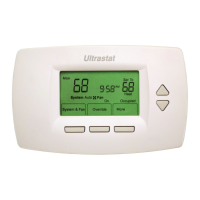
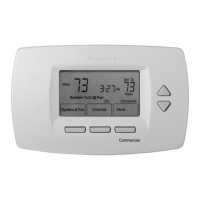
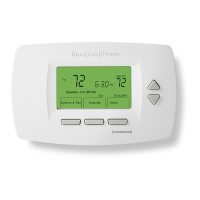
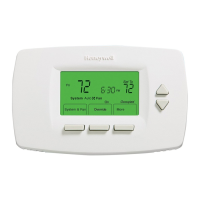
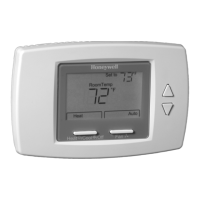
Honeywell TB7220U - User Manual

Honeywell TB7220U
32 pages
Print Icon
To Next Page IconTo Next Page
Loading...
OWNERS GUIDE
63-2626
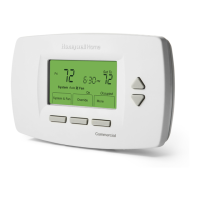
TB7220U Commercial
Programmable Thermostat

Other manuals for Honeywell TB7220U

Questions and Answers

  • M
    Michele HuertaAug 20, 2025
    Why is my Honeywell Thermostat heating or cooling not turning on?
    • A
      Adam RamirezAug 20, 2025
      If your Honeywell Thermostat's heating or cooling isn't activating, it might be due to a few reasons. First, the thermostat's minimum off-time could be in effect, so wait up to five minutes for the system to respond. Also, ensure that the system selection is correctly set. Finally, verify that the system type selection is accurate by checking ISU 0170.
  • M
    Mark Green DDSAug 22, 2025
    What to do if Honeywell TB7220U heat won't turn on but 'Heat On' is displayed?
    • P
      parkslaurenAug 22, 2025
      If the 'Heat On' indicator is solid on your Honeywell Thermostat but no heat is being produced, there are a couple of things to check. It could be due to heating equipment failure; in this case, check for 24 Vac at the equipment on the secondary side of the transformer between power and common. If voltage isn't present, investigate the heating equipment to identify the problem. Alternatively, there might be a loose or broken wire connection between your thermostat and heating equipment. If so, check for 24 Vac between the heat terminal (W) and transformer common. If voltage is absent, inspect the wire connection for any issues.
  • S
    smithleahAug 25, 2025
    Why is my Honeywell TB7220U Thermostat calling for heat or cool, but nothing is happening?
    • M
      Mrs. Bridget DouglasAug 25, 2025
      If your Honeywell Thermostat is indicating that it's calling for heat or cool, but no heating or cooling is running, the cause may be that the heating or cooling equipment is not operating. Check the wiring and ensure it is correct. Also, verify that the correct system type is chosen in ISU 0170. You can also verify the operation of the equipment in System Test mode.
  • T
    Toni CabreraAug 26, 2025
    How to unlock temperature settings on Honeywell TB7220U Thermostat?
    • B
      Bryan AndradeAug 26, 2025
      If you're unable to adjust the temperature settings on your Honeywell Thermostat, it could be due to a couple of reasons. You might have reached the upper or lower temperature range stop; check the temperature setpoints and modify ISU 0600 and ISU 0610 as needed. Alternatively, the keypad might be fully locked. In that case, check ISU 0670 to change the keypad lock options.
  • F
    Faith RogersAug 27, 2025
    Why is the display not working on my Honeywell Thermostat?
    • K
      Kevin DavilaAug 27, 2025
      If the display on your Honeywell Thermostat isn't turning on, the thermostat might not be getting power. Check for 24 Vac between RC and C. Also, make sure that the AA batteries are correctly installed and in good condition.
  • B
    barbara92Aug 29, 2025
    Why is my Honeywell Thermostat heat pump blowing cool air in heat mode?
    • H
      hopkinsjoshuaAug 29, 2025
      If your heat pump is emitting cool air when in heat mode and warm air when in cool mode, the Changeover Valve (ISU 0190) is likely not configured correctly. Set the Changeover Valve (ISU 0190) to match the changeover requirements of your installed heat pump.
  • M
    Melanie AnthonyAug 31, 2025
    Why is my Honeywell TB7220U Thermostat heating running in cool mode?
    • M
      Mrs. Angela RussellAug 31, 2025
      If your heating equipment is running while the thermostat is in cool mode, the System Type (ISU 0170) might be incorrectly set to Heat Pump, even if your heating equipment is not a heat pump. Set the System Type (ISU 0170) to match your installed heating and/or cooling equipment.
  • J
    Jason WardSep 2, 2025
    Why won't my Honeywell Thermostat heating equipment turn off?
    • R
      Ryan PrestonSep 2, 2025
      If your heating equipment remains on even when the heat temperature setting is below room temperature and 'Heat On' is not displayed, it's possible that the System Type (ISU 0170) is incorrectly set to Heat Pump, even if your heating equipment is not a heat pump. Set the System Type (ISU 0170) to match the installed heating and/or cooling equipment.
  • M
    Mandy RichSep 4, 2025
    Why isn't the fan turning on during heat on my Honeywell Thermostat?
    • D
      Doris MyersSep 4, 2025
      If the fan isn't activating when your Honeywell Thermostat calls for heat, it could be that the system isn't set to control the fan, and Heat Fan Operation is set accordingly (ISU 0180 set to 0). To fix this, set Heat Fan Operation for the thermostat to control the fan by setting ISU 0180 to 1.
  • T
    Tasha WebbSep 6, 2025
    Why can't I set my Honeywell Thermostat to heat?
    • P
      Peter CaldwellSep 6, 2025
      If you're unable to adjust the system setting to Heat on your Honeywell Thermostat, it's likely because the System Type (ISU 0170) is set to Cool Only. To resolve this, set the System Type (ISU 0170) to match the installed heating and/or cooling equipment.

Summary

Features

Main Screen Overview

Thermostat Programming

Programming Schedule Periods

Defines the four daily schedule periods: Occupied1, Unocc1, Occupied2, Unocc2.

Editing Schedule

Step-by-step guide on how to modify thermostat schedule settings.

Reviewing Schedule

Instructions for viewing and making changes to a single day's programmed schedule.

Operating the Thermostat

Basic Settings

Configuring time, system mode, and fan operation.

Temperature Adjustments

How to override programmed temperatures and set holiday schedules.

Fan Status Indicator

Understanding fan operation indicators and symbols on the main display.

Replacing Batteries

Temperature Sensing

Remote Indoor Temperature Reading

How the thermostat displays indoor temperature from remote sensors.

Outdoor Temperature Reading

How to view the current outside temperature on the thermostat.

Keypad Lockout Features

Locked Key Overview

Explanation of thermostat's key control locking features and modes.

Partial Lockout Modes

Details on Partial Lockout 1 and Partial Lockout 2 configurations.

Advanced Thermostat Functions

Temperature Recovery Feature

How the thermostat automatically brings space to temperature before scheduled time.

Calendar and Time Settings

Procedures for setting the thermostat's internal calendar and clock.

Calendar Setup

Configuring year, month, and day for the thermostat's calendar.

Schedule and Display Settings

Settings for schedule options, display units, and daylight saving time.

Time Format and Periods

Setting the time format and number of programmable periods per day.

Limited Five-Year Warranty

Customer Assistance

Honeywell TB7220U Specifications

General IconGeneral
BrandHoneywell
ModelTB7220U
CategoryThermostat
LanguageEnglish

Related product manuals