EasyManua.ls Logo

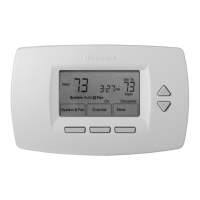
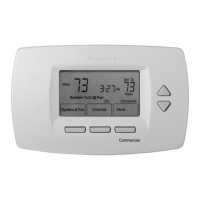
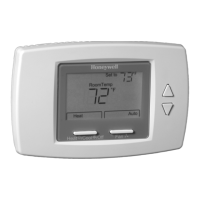
Honeywell TB7100A1000 MultiPRO - User Manual

Honeywell TB7100A1000 MultiPRO
32 pages
Print Icon
To Next Page IconTo Next Page
Loading...
OWNERS GUIDE
63-2674-01
TB7100A1000 MultiPRO
Multispeed and Multipurpose Thermostat

Other manuals for Honeywell TB7100A1000 MultiPRO

Questions and Answers

Summary

Features

Main Screen Selections and Display

Programming Heating and Cooling Schedule

Editing Schedule

Step-by-step guide to modify the thermostat schedule settings.

Reviewing One Days Schedule

How to view the existing programmed schedule for a specific day.

Operating the Thermostat

Setting System and Fan

Configure system and fan modes for HVAC operation.

Temperature Overrides

Hold Temperature Until

Temporarily holds temperature until a set time or next scheduled period.

Override and Holiday Settings

Override

Changes temperature setting until the next period takes effect.

Holiday

Sets temperature for a designated number of days.

Fan Status Display

Replacing Batteries

Reading Remote Indoor Temperature

One Remote Indoor Sensor Installed

Displays temperature from a single remote sensor.

Multiple Remote Indoor Sensors Installed

Displays average temperature from multiple remote sensors.

Keys Locked

Fully Locked Keys

Entire interface is locked and non-functional.

Partially Locked Screen

Specific keys or functions are locked.

Partial Lockout Modes

Partial Lockout 1

Locks schedule and system changes.

Partial Lockout 2

Locks schedule, system, and fan changes.

Partial Lockout 3

Locks all settings except Holiday and Override.

Temperature Recovery

Setting Calendar

Setting Calendar When Thermostat is First Powered

Initial calendar setup during first power-on.

Setting Calendar After Thermostat is Already Functioning

Advanced Settings

Advanced Settings: Year and Month Configuration

User Setup Number 0120: First Two Digits of Current Calendar Year

Configures the first two digits of the current calendar year.

User Setup Number 0130: Last Two Digits of Current Calendar Year

Configures the last two digits of the current calendar year.

User Setup Number 0140: Current Calendar Month

Configures the current calendar month.

Advanced Settings: Date, Schedule, and Units

User Setup Number 0150: Current Calendar Date

Configures the current calendar date.

User Setup Number 0160: Schedule Options

Sets thermostat to programmable or non-programmable mode.

User Setup Number 0320: Display Temperature Shown in °F or °C

Selects temperature display unit (Fahrenheit or Celsius).

User Setup Number 0330: Daylight Saving Time On or Off

Enables or disables automatic DST adjustments.

Advanced Settings: Time Format and Exit

User Setup Number 0540: Number of Programmable Periods per Day

Sets the number of programmable periods per day.

User Setup Number 0640: Time Format

Selects between 12-hour and 24-hour clock format.

Exit User Setup

Exits advanced settings and returns to the main screen.

Frequently Asked Questions and Answers

Limited Two-Year Warranty

Customer Assistance

Honeywell TB7100A1000 MultiPRO Specifications

General IconGeneral
Display TypeLCD
Programmability7-Day Programmable
Fan ModesAuto, On
Hold FeatureYes
Filter Change AlertYes
Weight0.6 lbs
TypeMultiPRO
Power Source24VAC
CompatibilityHeat Pump systems
StagesUp to 2 Heat/1 Cool Heat Pump
Terminal DesignationsR, C, W, Y, G, Aux
ChangeoverManual
Operating ModesHeat, Cool, Off
Voltage24VAC

Related product manuals