9EN
UNPACKAGING THE DEHUMIDIFIER
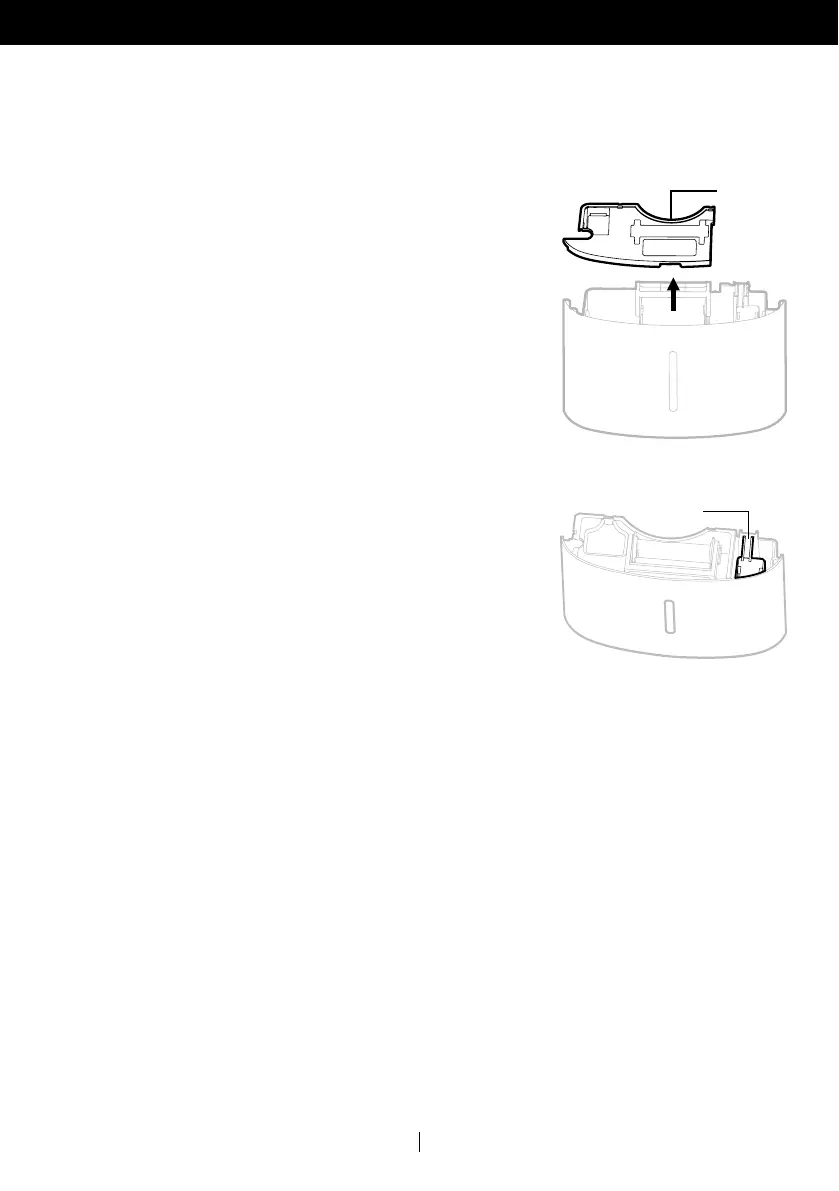
There is a Foam Float inside the water tank that senses the water
level to automatically stop dehumidification when the water
tank is full. Make sure the Foam Float is positioned correctly
inside the water tank by ensuring it lies level with the top edge
of the water tank.
DO NOT REMOVE THIS FOAM FLOAT.
This Dehumidifier is packaged with a colored or transparent tape to secure some parts during
transportation. Remove the colored or transparent packaging tape from the unit.
1. Gently pull the water tank from out of the dehumidifier
2. Remove the splash guard from the top part of the
water tank
3. Take out the power plug, drain hose and other accessories,
which is placed inside the tank of the dehumidifier.
4. Once all accessories have been removed, replace
the splash guard onto the top part of the water tank.
Make sure that the tank is properly positioned.
Splash
Guard
Foam
Float
•
•


 To Next Page
 Loading...