EasyManua.ls Logo

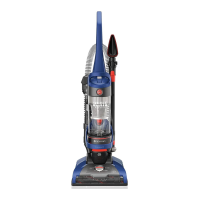
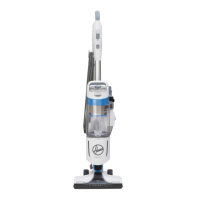
Hoover UH71250V - User Manual

Hoover UH71250V
44 pages
Go to English
Print Icon
To Next Page IconTo Next Page
Loading...
GUIDE D’UTILISATION
Instructions d’utilisation et d’entretien
©2019 Techtronic Floor Care Technology Limited. Tous droits réservés. #961151110-R5
L’UTILISATION DE CE PRODUIT À DES FINS COMMERCIALES INVALIDE
LA PRÉSENTE GARANTIE.
IMPORTANT : LIRE CES INSTRUCTIONS ATTENTIVEMENT AVANT
D’UTILISER L’ASPIRATEUR.
Vous avez des questions ou des inquiétudes? Veuillez appeler le service à la clientèle au 1 800 9449200 du lundi au
vendredi, de 8 h à 19 h (HNE).
VEUILLEZ NE PAS RETOURNER CE PRODUIT AU MAGASIN.
hoover.com

Questions and Answers

  • T
    Tony KellyAug 5, 2025
    Why my Hoover UH71250V Vacuum Cleaner won’t run?
    • J
      Jeffrey NelsonAug 5, 2025
      If your Hoover Vacuum Cleaner won’t run, there are several possible causes: * Ensure the power cord is firmly plugged into the outlet. If not, plug it in firmly. * Check the fuse or breaker in your home. A blown fuse or tripped breaker can prevent the vacuum from running. Replace the fuse or reset the breaker if necessary. * The thermal protector may have activated. If so, unplug the vacuum and allow it to cool for 30 minutes. This will reset the thermal protector.
  • D
    dustinsalinasAug 10, 2025
    What to do if my Hoover UH71250V has no suction?
    • B
      Brian AdkinsAug 10, 2025
      If the System Check Indicator has turned red, or your Hoover Vacuum Cleaner isn’t picking up or has low suction, consider the following: * The rinsable filter and/or filter made with HEPA media might be dirty. Clean the rinsable filter and/or filter made with HEPA media. * The dirt cup could be full or clogged. Empty the dirt cup. * The belt might be broken or worn. Replace the belt. * The brushroll and/or hose might be clogged. Check the hose and brushroll for clogs. * The carpet height setting could be incorrect. Set the carpet height adjustment to the appropriate setting for the carpet you're cleaning.
  • S
    Scott CollinsAug 15, 2025
    Why is dust escaping from my Hoover UH71250V Vacuum Cleaner?
    • A
      Andrew HallAug 15, 2025
      If dust is escaping from your Hoover Vacuum Cleaner, check these potential issues: * The dirt cup may be full. Empty the dirt cup. * The dirt cup might not be installed correctly. Review the dirt cup removal and replacement instructions. * The hose might not be installed correctly. Review the hose installation instructions. * The rinsable filter and/or filter made with HEPA media might not be installed completely. Review the filter removal and cleaning instructions.
  • H
    Heather MooreAug 20, 2025
    Why Hoover UH71250V Vacuum Cleaner Turbo Tool brushroll won’t turn?
    • D
      Douglas StewartAug 20, 2025
      If the Turbo Tool brushroll on your Hoover Vacuum Cleaner won’t turn: * You might be applying too much pressure to the tool. Continue using the tool, but apply light pressure. * There might be a blockage. Remove the blockage. * There might be low vacuum suction. Check the items under 'Vacuum won’t pick or Low suction.'
  • J
    John TerryAug 25, 2025
    Why does my Hoover UH71250V Vacuum Cleaner have a burning smell?
    • L
      Logan GardnerAug 26, 2025
      If you detect a smoky or burning smell from your Hoover Vacuum Cleaner, it could be due to: * A broken or stretched belt. Replace the brushroll belt. * A clogged brushroll. Clear or remove debris from the brushroll.
  • V
    Valerie BurtonAug 30, 2025
    How to make my Hoover UH71250V Vacuum Cleaner easier to push?
    • B
      Benjamin BrownAug 30, 2025
      If your Hoover Vacuum Cleaner is difficult to push or won’t move forward, the carpet height setting may be incorrect. Adjust the carpet height adjustment knob to the appropriate setting for the carpet you are cleaning.

Summary

Hoover Vacuum Cleaner Owners Manual

Operating and Servicing Guide

Provides comprehensive instructions for operating and servicing the Hoover vacuum cleaner.

Key Safety Instructions

General Safety Precautions

Essential safety precautions to prevent injury and ensure safe operation of the vacuum cleaner.

Initial Setup and Assembly

Package Contents

Lists all items included in the product packaging for initial setup and operation.

Handle Attachment

Step-by-step instructions for securely attaching the main handle to the vacuum cleaner body.

Dirt Cup Installation

Instructions for correctly fitting and securing the dirt collection cup onto the vacuum unit.

Vacuum Tools and Attachment Usage

Choosing the Correct Tool

Guidance on selecting the most appropriate attachment for various cleaning tasks and surfaces.

Hose Removal and Attachment

Detailed steps for detaching and reattaching the vacuum hose for efficient tool usage.

Safe Stair Cleaning

Specific methods and precautions for safely cleaning stairs with the vacuum cleaner.

Power Cord Handling and Storage

Using the Cord Rewind Feature

Instructions on how to properly use the automatic power cord rewind mechanism.

Cleaning Vacuum Attachments

Guidelines for cleaning and maintaining the various vacuum cleaner accessories and tools.

Regular Maintenance Guide

Dirt Cup Care and Emptying

Procedures for emptying the dirt cup and general maintenance of the collection bin.

Filter Maintenance and Cleaning

Information on cleaning, rinsing, and properly drying the vacuum's filters for optimal performance.

Brushroll Debris Removal

Steps to remove accumulated debris and hair from the brushroll for effective cleaning.

Belt Check and Replacement

Guidance on inspecting the belt's condition and instructions for replacement if damaged.

Cleaning the Hose and Turbo Tool

Instructions for cleaning the vacuum cleaner's hose and the powered turbo tool accessory.

Troubleshooting Vacuum Problems

Vacuum Power and Suction Issues

Diagnosing and resolving problems related to the vacuum not running or experiencing low suction.

Power Cord Retraction Problems

Solutions for issues where the power cord fails to retract correctly into the unit.

Dust Leaks and Internal Blockages

Addressing problems such as dust escaping the vacuum or internal obstructions.

Vacuum Mobility and Brushroll Issues

Resolving difficulties with moving the vacuum or the brushroll not turning properly.

Addressing Unusual Odors

Identifying and rectifying causes of smoke, burning smells, or other unusual odors.

Product Service and Warranty Details

Three-Year Limited Warranty

Details of the limited warranty, including coverage, duration, and claim procedures.

Warranty Coverage Exclusions

Specific conditions, uses, and parts that are explicitly not covered by the product warranty.

Warranty Terms and Legal Disclaimers

Key legal terms, disclaimers, and important conditions governing the product warranty.

Hoover UH71250V Specifications

General IconGeneral
Styleupright vacuums
Colorcobalt blue & iron ore, blue
Floor Typeall floors
Dust Bin Capacity1.29 gallons
Cord Length25 feet
Carpet Height Adjustmentsyes
Automatic Cord Rewindyes
Filterhepa, allergen, 2-stage, reusable
Washable Filteryes
Pet Modeyes
Hypoallergenicno
Brush Roll Shut-Offno
Baglessno
?leaning Area13.5 inches
Brushes and Accessoriescrevice tool; pet turbo tool; pivoting dusting tool
Voltage120 volts
Current12 amperes
Weight and Dimensions IconWeight and Dimensions
Length13 inches
Height44.5 inches
Width13.5 inches
Net Weight21.7 pounds

Related product manuals