EasyManua.ls Logo

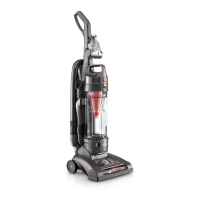
Hoover UH72600 - User Manual

Hoover UH72600
17 pages
Print Icon
To Next Page IconTo Next Page
Loading...
www.hoover.com
OWNER’S MANUAL
Operating and Servicing Instructions
©2018 Techtronic Floor Care Technology Limited. All Rights Reserved. #961151059-R5
THIS PRODUCT IS INTENDED FOR HOUSEHOLD USE ONLY.
IF USED COMMERCIALLY WARRANTY IS VOID.
Español - página E1
IMPORTANT: READ CAREFULLY BEFORE ASSEMBLY AND USE.
Questions or concerns? For assistance, please call Customer Service at 1-800-944-9200
Mon-Fri 8am-7pm EST. PLEASE DO NOT RETURN THIS PRODUCT TO THE STORE.

Questions and Answers

  • B
    Benjamin LeJul 27, 2025
    What to do if Hoover Vacuum Cleaner won’t pick up or has low suction?
    • N
      Nathan FreemanJul 27, 2025
      If your Hoover Vacuum Cleaner isn't picking up or has low suction, several factors could be the cause: * The rinsable filter and/or filter made with HEPA media might be dirty. * The dirt cup could be full or clogged. * The belt might be broken or worn. * The brushroll and/or hose could be clogged. * The carpet height setting might be incorrect. * The suction-only mode might be on. * The valve dial may be partially turned and/or not in proper mode.
  • W
    wesleywileyAug 1, 2025
    Why Hoover Vacuum Cleaner won’t run?
    • O
      oneillmichaelAug 1, 2025
      Your Hoover Vacuum Cleaner might not run due to a few common reasons: 1. The power cord may not be firmly plugged into the outlet. Ensure it is securely plugged in. 2. A fuse might be blown, or a breaker tripped. Check the fuse or breaker in your home and replace the fuse or reset the breaker if necessary. 3. The Thermal Protector might be activated. Unplug your vacuum and allow it to cool down for 30 minutes to reset the thermal protector.
  • M
    Mrs. Stacy Palmer MDAug 6, 2025
    What to do if the Turbo Tool brushroll won’t turn on my Hoover Vacuum Cleaner?
    • V
      vhannaAug 6, 2025
      If the Turbo Tool brushroll on your Hoover Vacuum Cleaner isn’t turning, consider the following: 1. You might be applying too much pressure to the tool; try using it with light pressure. 2. There could be a blockage; remove any blockages present. 3. There might be low vacuum suction. 4. The valve dial may be partially turned and/or not in proper mode.
  • G
    Gregory HoganAug 11, 2025
    What to do if Hoover UH72600 Vacuum Cleaner is difficult to push or won’t move forward?
    • A
      Amber PhillipsAug 11, 2025
      If your Hoover Vacuum Cleaner is hard to push or won’t move forward, it could be due to: 1. Incorrect carpet height setting. Adjust the carpet height setting knob to the appropriate setting for your carpet. 2. The brushroll being activated. If you are vacuuming very high pile carpet (deeper than 1 inch), turn the brushroll off.
  • G
    gina43Aug 16, 2025
    Why is there a smoky/burning smell detected from my Hoover UH72600 Vacuum Cleaner?
    • M
      miguel45Aug 16, 2025
      A smoky or burning smell from your Hoover Vacuum Cleaner may be caused by: 1. A broken or stretched belt. 2. A clogged brushroll. Clear any debris from the brushroll.
  • V
    Veronica MirandaAug 21, 2025
    Why is dust escaping from my Hoover UH72600?
    • D
      donaldbranchAug 21, 2025
      Dust escaping from your Hoover Vacuum Cleaner can be attributed to several issues: * The dirt cup may be full. * The dirt cup may not be installed correctly. * The hose may not be installed correctly. * The rinsable filter and/or filter made with HEPA media may not be completely installed.

Summary

How to Use

On-Off Switch Operation

Explains how to turn the vacuum cleaner on and off using the main switch.

Suction Mode Operation

Instructions for operating the vacuum in suction-only mode or with the brushroll.

Carpet Height Adjustment

How to adjust the vacuum's height for optimal performance on different carpets.

Air Valve Dial

Explanation of the air valve dial for switching between floor and hose cleaning.

Maintenance

Dirt Cup Emptying

Guidance on when and how to empty the dirt cup for optimal performance.

Filter Cleaning and Replacement

Instructions for cleaning rinsable filters and HEPA media filters.

Brushroll Cleaning

How to remove debris, hair, and lint from the brushroll.

Belt Replacement

Steps for replacing the drive belt for the brushroll if it is worn or broken.

Troubleshooting

Warranty

How to Make a Warranty Claim

Instructions for initiating a warranty service request with proof of purchase.

Hoover UH72600 Specifications

General IconGeneral
TypeUpright
BaglessYes
HEPA FilterYes
Noise Level78 dB
ColorRed

Related product manuals