EasyManua.ls Logo

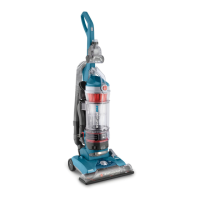
Hoover UH70603 - User Manual

Hoover UH70603
52 pages
Print Icon
To Next Page IconTo Next Page
Loading...
hoover.com
OWNER’S MANUAL
Operating and Servicing Instructions
©2011 Techtronic Floor Care Technology Limited. All Rights Reserved. #961151028 ID103827-R0
THIS PRODUCT IS INTENDED FOR HOUSEHOLD USE ONLY.
IF USED COMMERCIALLY WARRANTY IS VOID.
Español - página E1
IMPORTANT: READ CAREFULLY BEFORE ASSEMBLY AND USE.
Questions or concerns? For assistance, please call Customer Service at 1-800-944-9200
Mon-Fri 8am-7pm EST. PLEASE DO NOT RETURN THIS PRODUCT TO THE STORE.

Table of Contents

Questions and Answers

Hoover UH70603 Specifications

General IconGeneral
ModelUH70603
CategoryVacuum Cleaner
TypeUpright
Bagged or BaglessBagless
CordlessNo
Power SourceElectric
Voltage120V
Dust Capacity1.5 liters
Filter TypeHEPA
ColorRed
AttachmentsCrevice tool
Amperage12 Amps

Summary

Important Safety Instructions

Vacuum Assembly

Attach Handle

Step-by-step instructions for connecting the vacuum cleaner handle.

Attach Dirt Cup

Guide on how to properly attach the dirt collection cup to the vacuum.

How to Use the Vacuum

On-Off Switch

Details on operating the vacuum's power switch.

Suction Only Mode; Brushroll Shut-Off

Explains how to disable the brushroll for bare floors or specific carpet types.

Carpet Height Adjustment

Guide to adjusting the vacuum's height for different carpet pile levels.

Using Cleaning Tools

Maintenance and Troubleshooting

Dirt Cup: When to Empty

Guidance on when and how to empty the dirt collection cup.

Filters: When to Clean

Recommendations for cleaning the rinsable and HEPA media filters.

Rinsable Filter: How to Clean

Step-by-step guide to cleaning the rinsable filter.

Filter Made With HEPA Media: How to Clean

Instructions on cleaning the HEPA media filter, noting it should not be rinsed.

Brushroll: How to Clean

Guide on removing and cleaning debris from the brushroll.

Troubleshooting Common Issues

Vacuum Wont Run

Solutions for when the vacuum cleaner fails to start.

System Check Indicator Red; Poor Suction

Addresses indicator light, picking up dirt, or low suction power.

Smoky or Burning Smell Detected

Explains causes and solutions for unusual smells from the vacuum.

Service and Support

Related product manuals