EasyManua.ls Logo

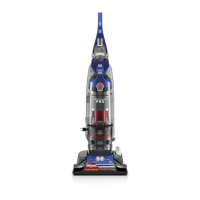
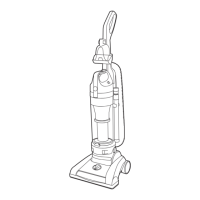
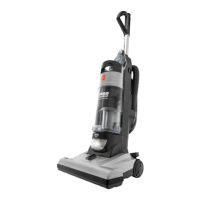
Hoover UH70600 - User Manual

Hoover UH70600
52 pages
Print Icon
To Next Page IconTo Next Page
Loading...
hoover.com
OWNER’S MANUAL
Operating and Servicing Instructions
©2011 Techtronic Floor Care Technology Limited. All Rights Reserved. #961132001 ID101356-R0
THIS PRODUCT IS INTENDED FOR HOUSEHOLD USE ONLY.
IF USED COMMERCIALLY WARRANTY IS VOID.
Español - página E1
IMPORTANT: READ CAREFULLY BEFORE ASSEMBLY AND USE.
Questions or concerns? For assistance, please call Customer Service at 1-800-944-9200
Mon-Fri 8am-7pm EST. PLEASE DO NOT RETURN THIS PRODUCT TO THE STORE.

Table of Contents

Questions and Answers

  • D
    donnadavisJul 26, 2025
    Why is my Hoover UH70600 not picking up?
    • C
      Carol DixonJul 26, 2025
      There are several reasons why your Hoover Vacuum Cleaner might not be picking up correctly. The rinsable filter and/or filter made with HEPA media might be dirty, so you should clean them. The dirt cup could be full or clogged, so you should empty it. Also, the belt might be broken or worn, and in that case, you should replace it. The brushroll and/or hose might be clogged, so check them. The carpet height setting might be incorrect, so set the carpet height adjustment to the appropriate setting for the carpet being cleaned. Finally, suction only mode might be on, so step on the brushroll ON/OFF pedal to turn suction only mode OFF.
  • K
    Kelsey BoydAug 2, 2025
    What to do if my Hoover UH70600 Vacuum Cleaner won’t run?
    • A
      Andrea MartinezAug 2, 2025
      If your Hoover Vacuum Cleaner won’t run, there are a few potential causes. First, make sure the power cord is firmly plugged into the outlet. Second, check the fuse or breaker in your home, and replace the fuse or reset the breaker if necessary. Third, the thermal protector may have activated; if so, unplug the vacuum and allow it to cool for 30 minutes to reset the thermal protector.
  • J
    Jennifer FergusonAug 9, 2025
    What to do if dust is escaping from my Hoover Vacuum Cleaner?
    • D
      David MooreAug 9, 2025
      If dust is escaping from your Hoover Vacuum Cleaner, it could be due to a few reasons. The dirt cup might be full, so empty it. The dirt cup might not be installed correctly, so review the dirt cup removal and replacement. The hose might not be installed correctly, so review the hose installation. The rinsable and/or filter made with HEPA media might not be installed completely, so review the filter removal and cleaning.
  • D
    Dr. Billy Nelson PhDAug 17, 2025
    Why is the air-powered hand tool brushroll not turning on my Hoover UH70600?
    • M
      Mr. Eddie Anderson DDSAug 18, 2025
      If the air-powered hand tool brushroll won’t turn on your Hoover Vacuum Cleaner, it might be because too much pressure is being applied to the tool, so continue using the tool applying light pressure. Also, there might be a blockage, so remove it. Finally, it could be due to low vacuum suction, so check the items under “Vacuum won’t pick or Low suction.”

Summary

Vacuum Assembly

Initial Assembly Steps

Guides on attaching the handle, dirt cup, and positioning tools.

How to Use

Carpet Height Adjustment

Explains how to adjust the vacuum's height for different carpet types.

Tools

Maintenance

Dirt Cup Emptying

Guidance on when and how to empty the dirt collection cup.

Rinsable and HEPA Filter Cleaning

Steps for cleaning rinsable and HEPA media filters.

Troubleshooting

Vacuum Operation Issues

Solutions for vacuum not running, low suction, or cord rewind problems.

Hoover UH70600 Specifications

General IconGeneral
ModelUH70600
CategoryVacuum Cleaner
BrandHoover
TypeUpright
Bagged or BaglessBagless
CordlessNo
Dirt Cup Capacity1.5 liters
Filter TypeHEPA
Height AdjustmentYes
On-Board ToolsYes
Power12 Amps
Brush RollYes

Related product manuals