EasyManua.ls Logo

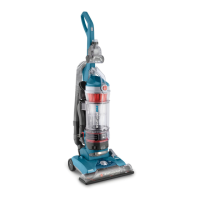
Hoover UH70905 - User Manual

Hoover UH70905
17 pages
Print Icon
To Next Page IconTo Next Page
Loading...
OWNER,S MANUAL j_b,
®
hoover.com
IMPORTANT:READCAREFULLYBEFOREASSEMBLYAND USE.
Questions or concerns? For assistance, please call Customer Service at 1-800-944-9200
Mon-Fri 8am-7pm EST. PLEASE DO NOT RETURN THIS PRODUCT TO THE STORE.
THIS PRODUCTIS INTENDEDFORHOUSEHOLDUSEONLY.
IF USEDCOMMERCIALLYWARRANTYIS VOID.
@2012 Techtronic Floor Care Technology Limited, All Rights Reserved. #961151050 ID105906 R0

Questions and Answers

  • A
    Angela VincentJul 26, 2025
    Why my Hoover UH70905 won’t run?
    • S
      stephaniemoralesJul 26, 2025
      The Hoover Vacuum Cleaner might not run due to several reasons: the power cord may not be firmly plugged in, so ensure it is properly connected. A blown fuse or tripped breaker in your home could be the issue; check and replace the fuse or reset the breaker. Alternatively, the thermal protector might have activated; unplug the vacuum and allow it to cool for 30 minutes to reset it.
  • R
    Rachel BeckJul 30, 2025
    Why does my Hoover UH70905 have no suction?
    • V
      Vincent BeckerJul 30, 2025
      If your Hoover Vacuum Cleaner has low suction, the system check indicator turns red, or it won’t pick up, there might be several causes. The rinsable filter or HEPA media filter could be dirty, so you should clean it. The dirt cup might be full or clogged, so you should empty it. A broken or worn belt could be the problem, requiring a replacement. The brushroll or hose might be clogged, so you should check and clear them. The carpet height setting could be incorrect, so adjust it appropriately. Lastly, the Suction Only Mode might be on; turn it off using the Brushroll ON/OFF Pedal.
  • C
    christopher47Aug 4, 2025
    How to make my Hoover UH70905 easier to push?
    • C
      Cynthia NewtonAug 4, 2025
      If your Hoover Vacuum Cleaner is difficult to push, it could be due to an incorrect carpet height setting, so adjust the carpet height adjustment knob. Alternatively, the brushroll might be activated; for very high pile carpet deeper than 1 inch, turn the brushroll off.
  • M
    Mr. Lance Lee IIAug 8, 2025
    What to do if the brushroll on my Hoover UH70905 Vacuum Cleaner hand tool won’t turn?
    • J
      Jennifer Austin DDSAug 8, 2025
      If the air-powered hand tool brushroll on your Hoover Vacuum Cleaner won’t turn, it might be because too much pressure is being applied to the tool, so use light pressure. Alternatively, there could be a blockage, so remove it. Low vacuum suction could also be the cause; check the items under “Vacuum won’t pick up or Low suction.”
  • A
    April ClarkAug 11, 2025
    Why is dust escaping from my Hoover UH70905?
    • C
      Christopher Gonzalez MDAug 12, 2025
      Dust escaping from your Hoover Vacuum Cleaner can be due to a few reasons: the dirt cup might be full, so empty it. It could also be that the dirt cup or the hose is not installed correctly, so review their installation. Another possibility is that the rinsable filter or HEPA media filter is not installed completely, so review the filter removal and cleaning instructions.
  • S
    Samantha WhiteAug 16, 2025
    Why does my Hoover Vacuum Cleaner have a burning smell?
    • C
      Cynthia ThompsonAug 16, 2025
      If you detect a smoky or burning smell from your Hoover Vacuum Cleaner, it could be due to a broken or stretched belt, so replace the brushroll belt. Another cause could be a clogged brushroll, so clear any debris from it.
  • E
    Erin SinghAug 20, 2025
    Why is the headlight not working on my Hoover UH70905 Vacuum Cleaner?
    • J
      jeremyturnerAug 20, 2025
      If the headlight on your Hoover Vacuum Cleaner is not working, it could be due to a burnt-out bulb.

Summary

Important Safety Instructions

Vacuum Assembly Guide

Attach Handle

Instructions for connecting the vacuum cleaner's handle to the base.

Operating Your Vacuum Cleaner

Power and Brushroll Control

Operating the vacuum and controlling the brushroll for different floor types.

Carpet Height Settings

Setting the vacuum's height for optimal carpet cleaning.

Vacuum Maintenance Procedures

Dirt Cup Maintenance

How to empty and maintain the vacuum cleaner's dirt collection bin.

Filter Care

Cleaning and replacing the vacuum's rinsable and HEPA filters.

Brushroll Cleaning

Instructions for cleaning hair and debris from the brushroll.

Belt Inspection and Replacement

Instructions on checking, replacing, and installing the vacuum belt.

Troubleshooting Common Issues

Hoover UH70905 Specifications

General IconGeneral
ModelUH70905
TypeUpright
Bagged or BaglessBagless
FiltrationHEPA
Dust Capacity1.5 liters
Power12 Amps
Brush RollYes
Tools IncludedCrevice Tool
Filter TypeHEPA

Related product manuals