■ Includes / Inclus / inklusive / Incluso / Incluye
■ Platform / Plateform / Plattform / Piattaforma / Plataforma
Instruction manual
/ Mode d'emploi
/ Bedienungsanleitung
/ Foglio di istruzioni
/ Hoja de Instrucciones
Quick Start Guide
/ Guide de démarrage rapide
/ Schnellstart-Anleitung
/ Guida introduttiva
/ Guía de inicio rápido
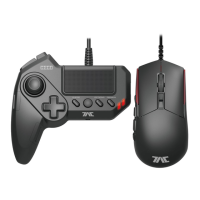
Mouse & Keyboard Controller
/ Contrôleur Souris & Clavier
/ Maus- & Tastatur-Controller
/ Mouse & Keyboard Controller
/ Controlador por teclado y ratón
1901-53UK
TACTICALASSAULTCOMMANDER
1
2 3 4 5
6
7 8 9 10
11
12
L3
L1
L2
R3
R1R2
SHARE
SNIPE
FN
OPTIONS
QUICK
WALK
13 14 15
16
17
18 19 20
Thank you for purchasing this product. Before using this product please read the instructions carefully. After
reading the instruction manual, please keep it for reference.
/ Merci d'avoir acheter ce produit. Lisez attentivement les instructions avant d'utiliser ce produit.
Après avoir lu le feuillet d'instructions, conservez le bien pour future référence.
/ Vielen Dank, dass Sie sich fur dieses Produkt entschieden haben.Bevor Sie dieses Produkt verwenden, lesen
Sie bitte die Kurzanleitung sorgfältig durch. Heben Sie die Kurzanleitung zu Ihrer Information auf.
/ Grazie per aver scelto questo prodotto. Prima di utilizzare questo prodotto, leggere attentamente le istruzioni.
Una volta lette le istruzioni, conservarle per riferimenti futuri.
/ Te agradecemos la compra de este producto. Antes de usar este producto, por favor lea detenidamente las
instrucciones. Después de leer la hoja de instrucciones, por favor, guárdelo para futuras referencias.
PlayStation®4
/ PlayStation®3
Please note that the information provided is for the PlayStation®4 and PlayStation®3 systems.
Please refer to PlayStation®4 and PlayStation®3 system manuals for more information.
This product does not feature light bar, motion sensors, or force feedback.
EN
PlayStation®4
/ PlayStation®3
Notez bien que les renseignements fournis sont pour la PlayStation®4 et PlayStation®3 systèmes.
Merci de vous référer au manuel de la système PlayStation®3 pour plus d'information.
Ce produit ne dispose pas de fonction pour barre lumineuse, détecteurs de mouvement,
ou retour de force.
FR
PlayStation®4
/ PlayStation®3
Bitte beachten Sie, dass die zur Verfügung gestellten Informationen für die PlayStation®4 und
PlayStation
®3 systeme.
Weitere Informationen finden Sie im Handbuch für die PlayStation®3 system.
Dieses Produkt verfügt nicht über Lichtbalken, Bewegungssensoren, für Force-Feedback.
DE
PlayStation®4
/ PlayStation®3
Si prega di notare che le informazioni fornite sono il PlayStation®4 e PlayStation®3 sistema.
Per maggiori informazioni, vedi manuale di istruzioni per l'uso della sistema PlayStation®3.
Questo prodotto non dispone di cuffie luce bar, sensori di movimento, per Force feedback.
IT
PlayStation®4
/ PlayStation®3
Tenga en cuenta que la información proporcionada es para la consola PlayStation®3 y PlayStation®4 sistemas.
Consulte el manual de la sistema PlayStation®3 si desea más información.
Este producto no dispone de light bar, sensores de movimiento, o Force Feedback.
ES
Also compatible with PC* (Windows 10/8.1/8/7/Vista).
Spare PC USB port required / Port USB / USB-Anschluss / Porta USB / Puerto USB
*PC Compatibility not tested nor endorsed by Sony Interactive Entertainment Europe.
Instruction Manual / Mode d'emploi / Bedienungsanleitung
/ Manuale di istruzioni / Manual de Instrucciones

 Need help?
 General
 Weight and Dimensions











 To Next Page