EasyManua.ls Logo

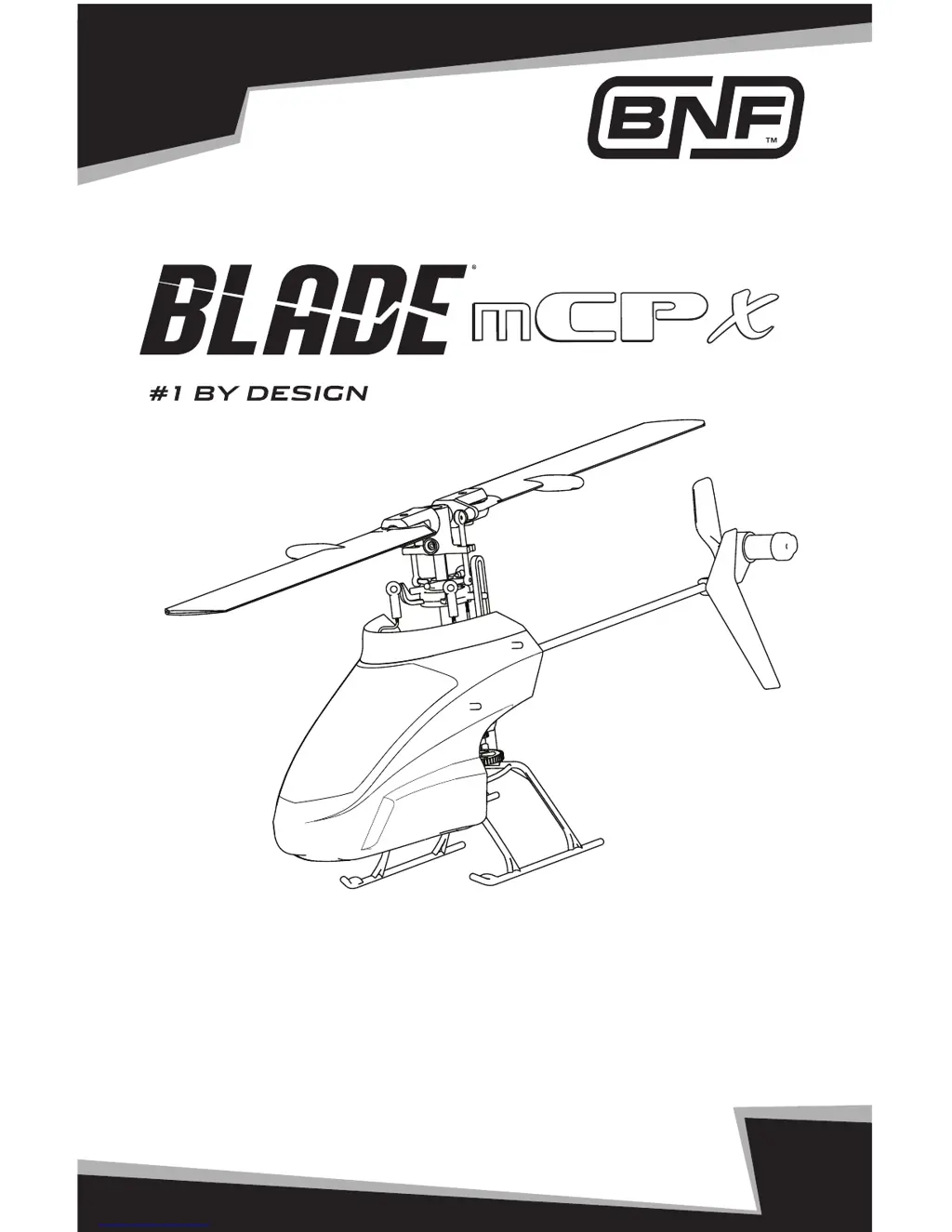
Horizon Hobby Blade mCPx - User Manual

Horizon Hobby Blade mCPx
18 pages
Print Icon
To Next Page IconTo Next Page
Loading...
Instruction Manual
Bedienungsanleitung
Manuel d’utilisation
Manuale di Istruzioni
RTF

Questions and Answers

  • B
    brianna69Aug 16, 2025
    What to do if the LED flashes rapidly and the Horizon Hobby Toy aircraft won't link to the transmitter?
    • S
      Stephen ChapmanAug 16, 2025
      If the LED on the receiver flashes rapidly and the Horizon Hobby Toy aircraft doesn't link to the transmitter, there might be several reasons. First, ensure you wait at least 5 seconds after powering on the transmitter before connecting the flight battery to the aircraft; if you haven't, disconnect and reconnect the flight battery. The transmitter may be too close to the aircraft during binding; move the powered transmitter a few feet away, then disconnect and reconnect the flight battery. The aircraft may not be bound to the transmitter, so bind them. If you are using ModelMatch radios, make sure the correct model memory is selected on the transmitter. Finally, check the transmitter batteries and replace or charge them if they are low.
  • A
    aguilaradamAug 19, 2025
    Why my Horizon Hobby Toy helicopter will not spool up?
    • A
      Andrew ChavezAug 19, 2025
      If the Horizon Hobby Toy helicopter will not spool up, the throttle hold may be on. Turn off HOLD with the throttle low and trim centered or low. Another potential cause is low battery voltage. Completely recharge the flight battery.
  • C
    Cole WadeAug 22, 2025
    How to fix a Horizon Hobby Toy helicopter that will not initialize?
    • S
      stanleyronaldAug 22, 2025
      If the Horizon Hobby Toy helicopter will not initialize, reset controls with the throttle stick and throttle trim at the center or lowest setting, because the throttle may be at a high position. Ensure the switches are in the normal position by setting the flight mode to OFF/0 and exiting throttle hold. Also, reset the servo reversing, because the pitch or throttle servo reversing may be improperly configured.
  • D
    Dustin FrazierAug 25, 2025
    What to do if I cannot turn off throttle hold on Horizon Hobby Toy?
    • M
      Michelle GrantAug 26, 2025
      If you cannot turn off the throttle hold on your Horizon Hobby Toy, ensure that the stunt mode switch is off by setting the flight mode to OFF/0 and exiting throttle hold. If that doesn't work, reset the controls with the throttle stick and throttle trim at the center or lowest setting, because the throttle may not be at a low position.
  • E
    Eric BrownAug 28, 2025
    Why does the motor power decrease during flight of my Horizon Hobby Toy?
    • R
      Randy RiveraAug 28, 2025
      If the motor power decreases during flight of your Horizon Hobby Toy, recharge the flight battery or replace it with one that is performing well, because the receiver may be using the default soft Low Voltage Cutoff (LVC).
  • C
    Caleb ScottAug 31, 2025
    Why does my Horizon Hobby Toy helicopter vibrate in flight?
    • J
      Jeffrey MillerAug 31, 2025
      If your Horizon Hobby Toy helicopter vibrates or shakes in flight, check the main rotor blades and blade grips for cracks or chips and replace damaged parts. Also, replace any bent spindle, because the rotor blades, spindle, or blade grips may be damaged.
  • M
    Matthew ValenciaSep 3, 2025
    How to resolve poor tail authority in Horizon Hobby Toy?
    • I
      ilindseySep 3, 2025
      If you are experiencing poor tail authority with your Horizon Hobby Toy, first, replace the tail boom, because it may be cracked. Also, twist the rotor blade back into position or replace it, because the tail rotor blade may be warped or bent.
  • J
    Jon PollardSep 6, 2025
    How to bind Horizon Hobby Toy to a non-computer radio?
    • T
      teresa27Sep 6, 2025
      If the Horizon Hobby Toy will not bind properly to a non-computer radio, release the bind button/switch after applying left rudder. Do not hold the bind button/switch after applying left rudder, because the helicopter binds differently to non-computer radios.
  • D
    Daniel BassSep 9, 2025
    Why does my Horizon Hobby Toy power off when inverted?
    • A
      Anthony VasquezSep 9, 2025
      If the Horizon Hobby Toy powers off when flying upside down (inverted), switch stunt mode to ON/1 before flying inverted, because stunt mode may be off.
  • C
    Christie MontgomerySep 12, 2025
    What causes a reduced climb rate in Horizon Hobby Toy?
    • C
      Cody WallaceSep 12, 2025
      If the climb out rate of your Horizon Hobby Toy is greatly reduced, push the main gear back into position, because the main gear may have slipped on the main shaft.

Summary

Important Notices and Safety

Meaning of Special Language

Defines terms like NOTICE, CAUTION, and WARNING used in the manual to indicate potential harm.

Additional Safety Precautions

Lists essential safety guidelines for operating the helicopter, including age recommendations.

Introduction to the Blade mCP X

Product Overview

Describes the Blade mCP X as an ultra micro heli with advanced flybarless design.

Blade mCP X Specifications

Technical Specifications

Details the length, height, rotor diameter, and gross weight of the helicopter.

Battery Warnings and Guidelines

Li-Po Battery Safety

Covers essential safety precautions for Li-Po batteries, including charging, storage, and handling.

Low Voltage Cutoff (LVC)

Explains the LVC feature and its importance for preventing battery damage.

Battery Charging and Flight Preparation

Battery Charging Procedure

Step-by-step instructions for safely charging the helicopter's Li-Po battery.

First Flight Preparation Steps

Lists essential checks and installations needed before the initial flight.

Pre-Flight Checklist

A checklist to ensure the helicopter and transmitter are ready for flight.

Transmitter Programming

Spektrum Transmitter Settings

Provides recommended programming values for DX6i, DX7, and DX8 transmitters.

Transmitter and Receiver Binding

Binding Computer Radios

Steps to bind computer radios (DX6i, DX7, DX8) to the helicopter receiver.

Binding Non-Computer Radios

Steps to bind non-computer radios (DX4e, DX5e) to the helicopter receiver.

Understanding Flight Controls

Primary Control Operations

Details the function of throttle, rudder, elevator, and aileron controls for helicopter maneuverability.

Throttle Hold and Stunt Mode

Throttle Hold Operation

Instructions for activating and deactivating throttle hold on DX4e and DX5e transmitters.

Stunt Mode Functionality

Explains how to use Stunt Mode for inverted flight and aerobatics.

Installing the Flight Battery

Battery Installation Procedure

Steps for correctly installing the flight battery into the helicopter's battery holder.

Flying the mCP X

Takeoff and Hovering

Guidance on how to perform a safe takeoff and achieve a stable hover.

Landing the Helicopter

Instructions for safely landing the helicopter after flight.

Troubleshooting Guide

Common Problems and Solutions

Addresses common issues like initialization, motor problems, binding failures, and flight performance.

Exploded View and Parts Listings

Parts Identification and Listing

Lists all helicopter parts with their corresponding part numbers for easy identification and ordering.

Main Board Plug Configuration

Servo and Motor Connections

Diagram illustrating how to connect servos and motors to the main board unit.

Optional Parts and Accessories

Available Optional Components

Lists optional parts and accessories that can enhance the helicopter's performance or appearance.

Warranty and Repair Policy

Warranty Terms and Limitations

Details the exclusive and limited warranty coverage, including exclusions and purchaser remedies.

Warranty Service and Repair Process

Explains how to obtain warranty service, inspections, and the repair process.

Declaration of Conformity and Disposal

European Compliance and Standards

States conformity with EU directives for radio equipment, EMC, and R&TTE.

WEEE Disposal Instructions

Guidance for proper disposal of electronic waste in the European Union to protect the environment.

Warranty and Service Contact Information

Horizon Hobby Contact Details

Provides contact information for warranty, service, and sales across different countries.

FCC Information

FCC Compliance Statement

States compliance with FCC rules for radio transmission, including operating conditions.

European Compliance and Declaration

EU Conformity Specifications

Lists technical requirements and directives met by the product for the EU market.

Declaration of Conformity (RTF)

Formal declaration of product conformity for the Blade mCP X RTF model to EU directives.

Horizon Hobby Blade mCPx Specifications

General IconGeneral
BrandHorizon Hobby
ModelBlade mCPx
CategoryToy
LanguageEnglish

Related product manuals