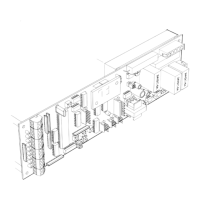
Auto lock circuit board
Connect to CN 4
Remains locked at power failure
FAIL SECURE
Double click = off or on
Press and hold = data save
13
Many other features, for autolock and motion
detector configuration, are available through
additional adjustable parameters.
These parameters can be discussed in
greater detail by calling the technical
service group.
1.0012d
10/05
NOTE:
2-way night mode
setting is:
NO
jumpers or
switches
1-way night mode
setting is:
jumper or switch from
13 to15
NO
jumper or switch from
15 to 16
15
16
15
13
TS 1
Security panel
connections
(optional)
4 WHT
3 GRN
CN 1
1 BRN
2 RED
5 BLK
1 2 3
5. ACTUATION FEATURES
CODE
DISPLAY
2-way day mode
factory setting
is:
jumper or switch from
15 to16.
1-way day mode
setting is:
jumper or switch
from 13 to15
and 15 to 16.
16
Com
15
13
16
15
Set jumpers or key
switch for the type of
operation required.
See diagram 2
page H201.9
D
1
RESET
1
CN 4
These displays
apply to 1.17 and
up only
UP DOWN
Display Scroll
LOCK
MON
(Yellow)
(Orange)
LOCK
H201C.4
If there is no response it
knows there is no lock.
The C2150 looks to see if there is a contact at the
lock port CN4 and if the yellow lock monitor LED
is on.
The control sends a pulse
to retract solenoid...
FAIL SAFE
If the yellow LED is on...
LOCK
MON
LOCK
Security panel
switch (optional)
Lock monitor
switch
Coil test
points
Unlocks at power failure
FAIL SAFE
O
Y
LOCK
MON
If the control gets a
response back, it
knows there is a
fail safe lock.
R
+100
SOLENOID
LOCK
O
Y
LOCK
MON
Y
+100
R
LOCK
O
If there is no response it
knows there is no lock.
The C2150 looks to see if there is a contact at the
lock port CN4 and if the yellow lock monitor LED
is off.
The control sends a pulse
to retract the solenoid...
FAIL SECURE
6. AUTOLOCK SET UP AND INITIALIZATION
Press
SET
and
RESET
simultaneously, release
RESET
, wait 5 seconds,then release
SET
- version
number will displayed.
During initialization the control clears all ports and
the solenoid becomes inactive.
If the yellow LED is off...
Y
LOCK
MON
LOCK
O
SET
If the control gets a
response back, it
knows there is a fail
secure lock.
SOLENOID
R
+100
R
+100
Y
LOCK
MON
O
LOCK
O
LOCK
Y
LOCK
MON


 To Next Page
 Loading...
