CN 1
Basic voltage readings regardless of type.Set VOM at 200VDC.
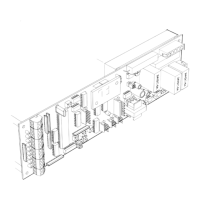
NOTE: The terminal strips TS1 & TS2
are located on the autolock
U
n
L
ock Failure (
Fail Safe
) Indicates that the lock solenoid spring has failed
to move the plunger enough to activate the lock monitor switch and notify the control that
the door is ready to be opened.
L
ock
F
ailure (
Fail Safe
) Indicates that the lock solenoid failed to move
the plunger enough to activate switch on the lock monitor.
Check for mechanical binding. Check items under AUTOLOCK TEST POINTS and
AUTOLOCK FUNCTIONS FOR FAIL SAFE autolocks.
9. AUTOLOCK TEST POINTS
-When the control's orange lock light is on there
should be 3 to 5 VDC between pins 2 and 5 at TS 1.
-There should always be a supply voltage of
25 to 33 VDC between pins 1 and 5 at TS 1.
2
CN 1
GRN
3
WHT
BLK
WHT
BLK
GRN
RED
BRN
CN 1
3
4
5
1
2
5
4
1.0015d
10/05
LOCK
MON
Y
LOCK
O
BRN
RED
1
SEE SECTION 3 STEP 10 FOR ( ds ) DATA SAVE PROCEDURE
U
n
L
ock Failure (
Fail Secure
) Indicates that the lock solenoid failed to move
the plunger enough to activate the lock monitor switch and notify the control
that the door is ready to be opened.
L
ock
F
ailure (
Fail Secure
) Indicates that the lock monitor input is remaining
active (lock monitor light is still on) even though solonoid has de-energized.
Check for mechanical binding. Check items under AUTOLOCK TEST POINTS and
AUTOLOCK FUNCTIONS FOR FAIL SECURE autolocks.
To set up the lock parameters on the C2150 turn off the toggle circuit or double click the
SET
button. Use the
UP / DOWN
buttons to locate
dL
&
L1
.
Press the set button to display the on or off setting. Set
dL
/
L1
as required from the table
below.
UnlockedUnlocked
Locked
Locked
Locked
7. SETTING LOCK PARAMETERS
Unlocked
Day
2-Way
8. LOCK ERROR CODES
2-Way
1-Way
1-Way
Day
Nite
Nite
Unlocked
Locked
Locked
SEE STEP 1 FOR SET UPSEE STEP 1 FOR SET UP
Traffic Mode
Locked
Locked
Locked
Locked
doesn't
matter
The yellow lock monitor
and the orange lock LED's
should both be lit when the
solenoid is retracted.
O
H201C.5
When the lock is unplugged and
the solenoid manualy depressed
there should be continuity between
pins 4 and 5 of TS1
RED
2
LOCK
MON
The
FAIL SAFE
isalesscommontypeofautolockusedwiththe C2150.
When power is applied the solenoid
is extended and the door is locked.
When the lock is unplugged and the solenoid is
not
manualy depressed
there should be continuity between pins 4 and 5 of TS1
Keeper
O
LOCK
LOCK
MON
Y
When power is removed the solenoid
is retracted by the lock spring. The
door is unlocked.
The yellow lock monitor
LED is lit when the solenoid is
not
retracted.
LOCK
Y
O
LOCK
MON
SOLENOID
Lock spring
BLK
GRN
WHT
4
3
5
The orange lock LED is lit
when the solenoid is retracted.
Lock spring
Y
SOLENOID
The
FAIL SECURE
is the most common type of auto lock used with the C2150.
After about a second the voltage will drop
to about 30% of the supply voltage between pins
1 and 2 of TS2 .
-When the solenoid initially energizes there
should be 25 to 33 VDC at TS2.
10. AUTOLOCK FUNCTIONS
Keeper
Latch
bolt
BRN
1
No LED's are lit
When power is removed, the solenoid
is extended by the lock spring. The
door is locked.
SOLENOID
Lock spring
Auto lock circuit board
COIL
When power is applied the solenoid
is retracted and the door is unlocked.
Lock spring
LOCK
SOLENOID


 To Next Page
 Loading...
