which is not conflict with the Background Audio function.
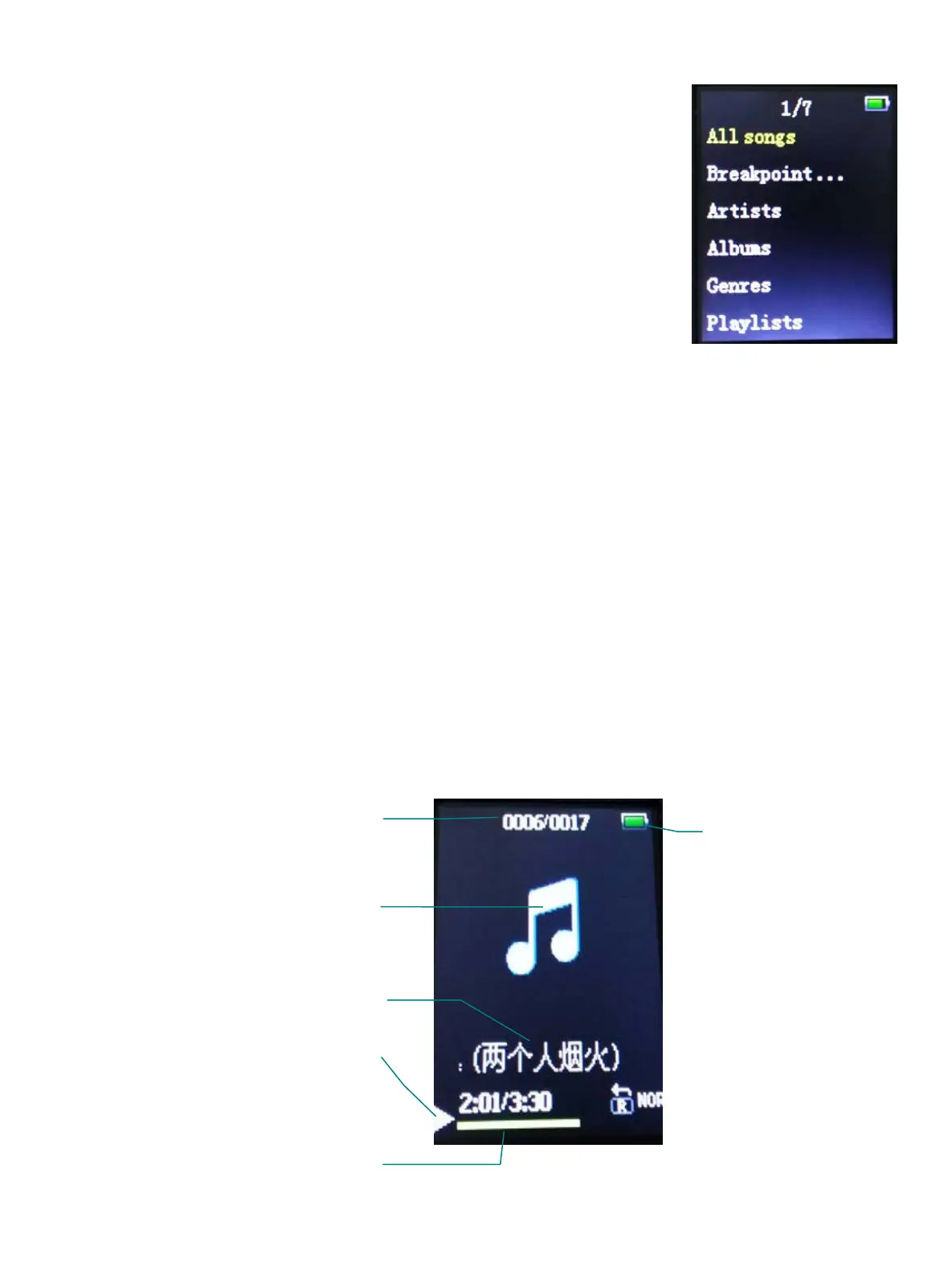
8.1 Music main interface
Press [/] to choose the options, press the Centre key to
confirm.
The menu options include: All songs,
Artists, Albums, Genres, Playlist, Album art, local
folder, Card folder
All songs: display all the songs in the memory and all the
random playing songs.
Breakpoint: Continue play the last song when power on.
Artists: Display the names of the singers recorded in the inter memory of each
song.
Album art: The picture of album.
Genres: display the styles according to the built-in style in the music
Playing List: Including “Playing now list 1” “Playing now list 2”
“Playing now list 3”
Local folder:Play the music stored in memory flash
Card Folder:Play the music stored in Micro SD card
8.2 Music playing interface
Album art / Lyric show up area
Current song / Total songs
Current Document ID3 Information
Current Documents status
- 7 -


 To Next Page