Press to switch between “play” and “pause”. Short press [/] to choose
the previous or next track. Long press / to adjust the speed.
Short press or to enter the volume interface, to adjust the volume.
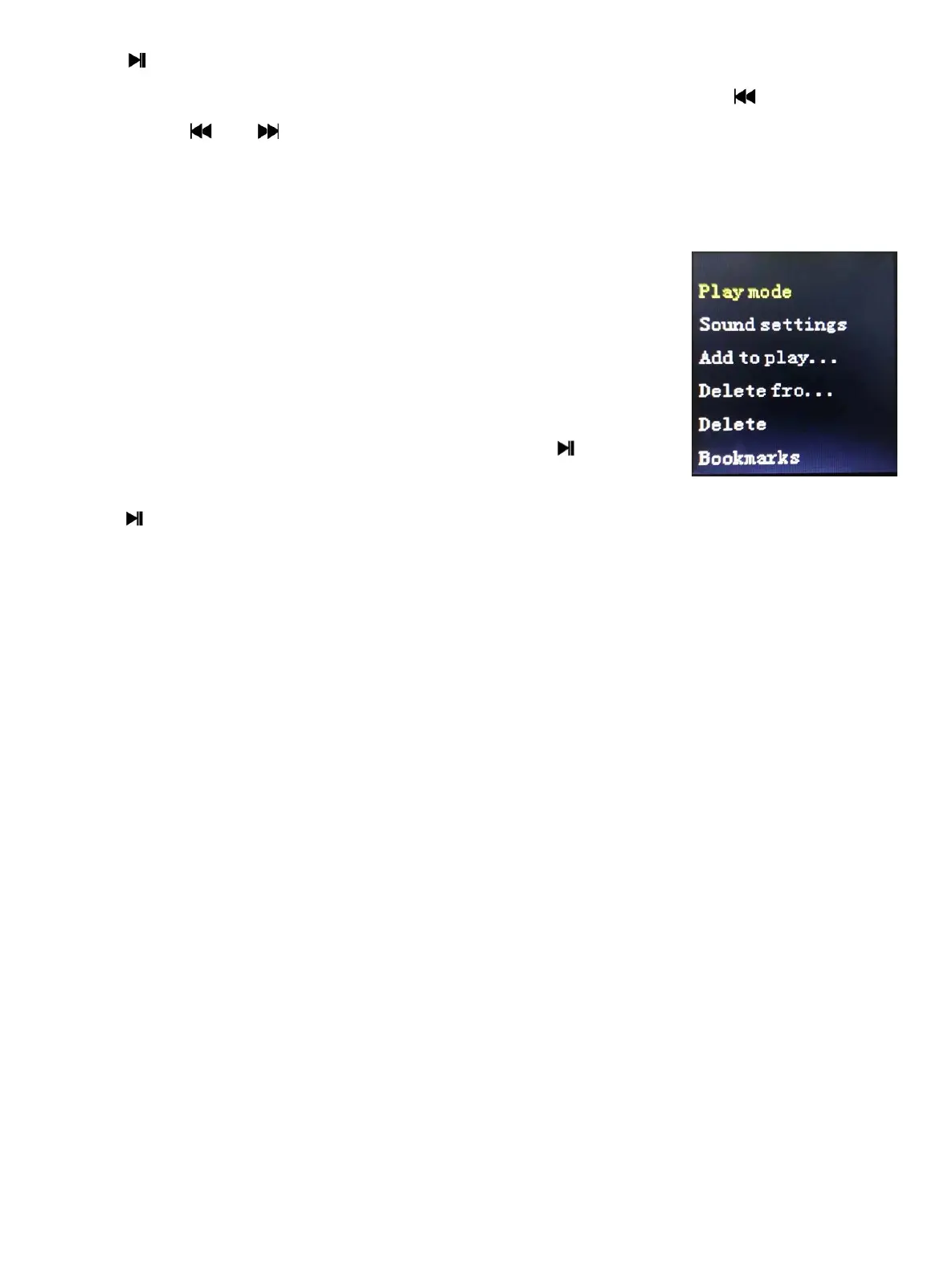
Press the ON/OFF key to enter the submenu interface.
8.3 Music Menu Options
1. Press the ON/OFF key when the music at the status of
playing or pause, the system enters the submenu, the
menu options include: play mode, sound settings, add
to the playlist, remove play list, sleep timer, delete,
Bookmarks.
2. Press [/] to choose browse menu. Press to return
previous interface, Press [/] to choose the options,
press to confirm.
Submenu (Playing Mode)
Playing mode: choose [Playing mode], display [play music from], [Repeat],
[Shuffle], [Repeat settings] options.
Sound settings: Choose [Sound settings], Display [Equalizer] [Volume limit].
Add to playlist:
Choose[Add to playlist],it will display Playlist on the go [1],;
Remove from Playlist:Choose [Remove from Playlist],it will display Playlist on
the go [1]
Sleep timer:Choose [Sleep timer], it will display [OFF][Set sleep timer…].
Delete: Choose [Delete] to delete the now playing music from the digital media
player.
Bookmark:Choose [Bookmark], it will display [Add bookmark][Go to
bookmark][Delete bookmark]
Submenu (Pause Mode)
Same as submenu(Playing Mode).
- 8 -


 To Next Page