ADJUST BRIDGE
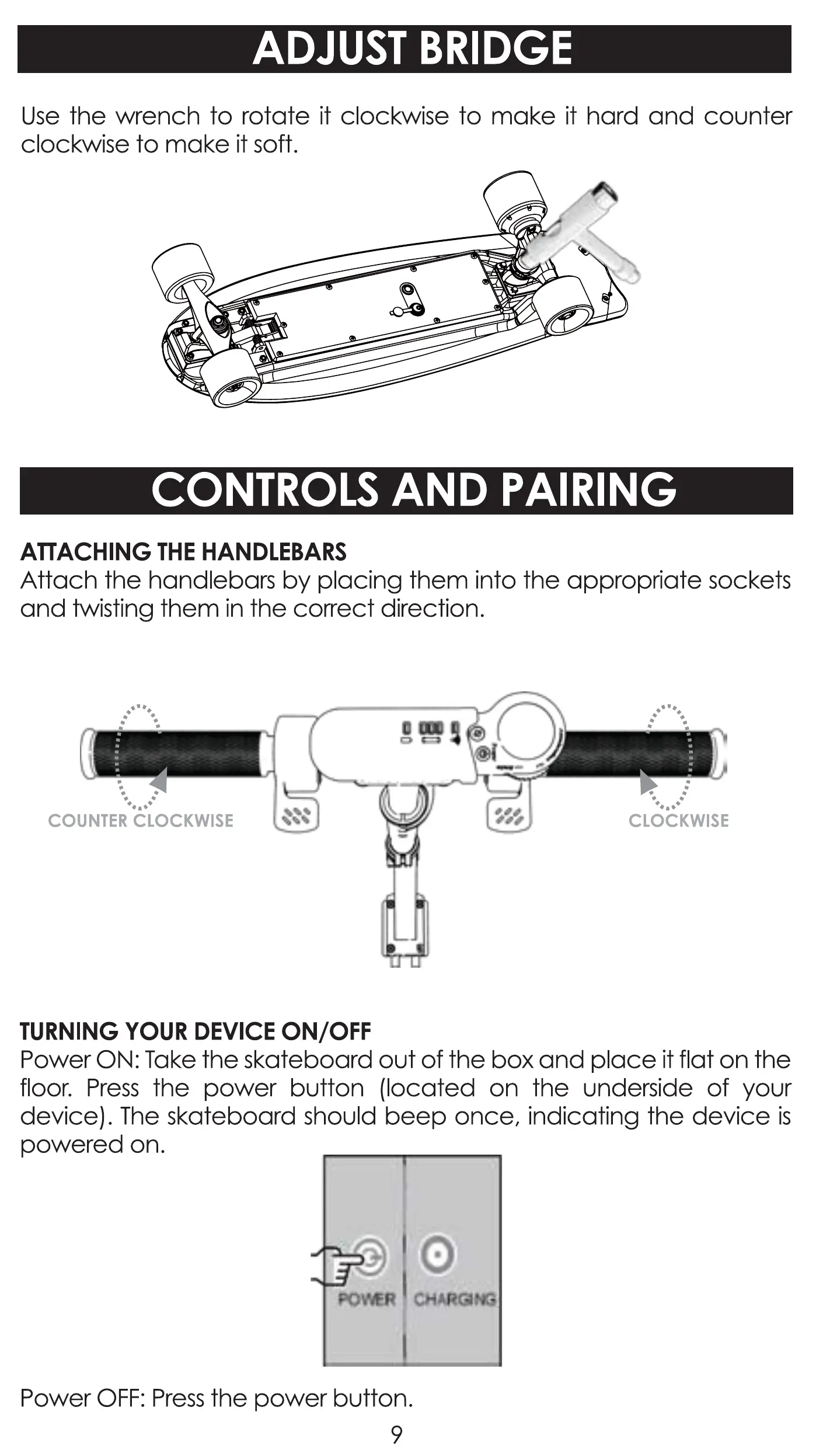
Use the wrench to rotate it clockwise to make it hard and counter
clockwise to make it soft.
CONTROLS AND PAIRING
ATTACHING THE HANDLEBARS
Attach the handlebars by placing them into the appropriate sockets
and twisting them in the correct direction.
COUNTERéLOCKWlSE
TURNING YOUR DEVICE ON/OFF
CLOCKWISE
Power ON: Take the skateboard out of the box and place it flat on the
floor. Press the power button (located on the underside of your
device). The skateboard ShOUId beep once, indicating the device is
powered on.
Power OFF: Press the power button.
9



 To Next Page