Introduction 6
Port mapping
For detailed port mapping information, see the HP BladeSystem Enclosure Quick Setup Guide or the HP
BladeSystem Enclosure Setup and Installation Guide on the HP website
(http://www.hp.com/go/bladesystem/documentation).
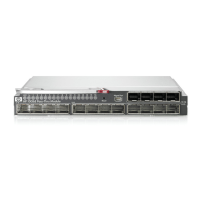
Dual pass-thru modules
In a dual pass-thru module configuration, two pass-thru modules in the HP BladeSystem c7000 Enclosure
provide redundant paths to the network ports on the server blades.
Redundant paths to server bays
In a dual pass-thru module configuration, redundant Ethernet signals from each server blade are routed
through the enclosure backplane to separate pass-thru modules within the enclosure. This configuration
provides redundant paths to each server bay.
Redundant Ethernet signals from each blade server are routed through the enclosure backplane to
separate pass-thru modules within the enclosure. However, port to server mapping varies based on the
type of server blade installed.
XModem
The pass-thru module supports XModem for transferring files during firmware upgrade using the serial
management port. XModem sends blocks of data and includes an error-detection system called a
checksum. When the data is received, the error detection system ensures that the entire message reached
its destination. If not, the receiving computer sends a request for data retransmission.
Get other manuals https://www.bkmanuals.com


 To Next Page