Component identification 7
Component identification
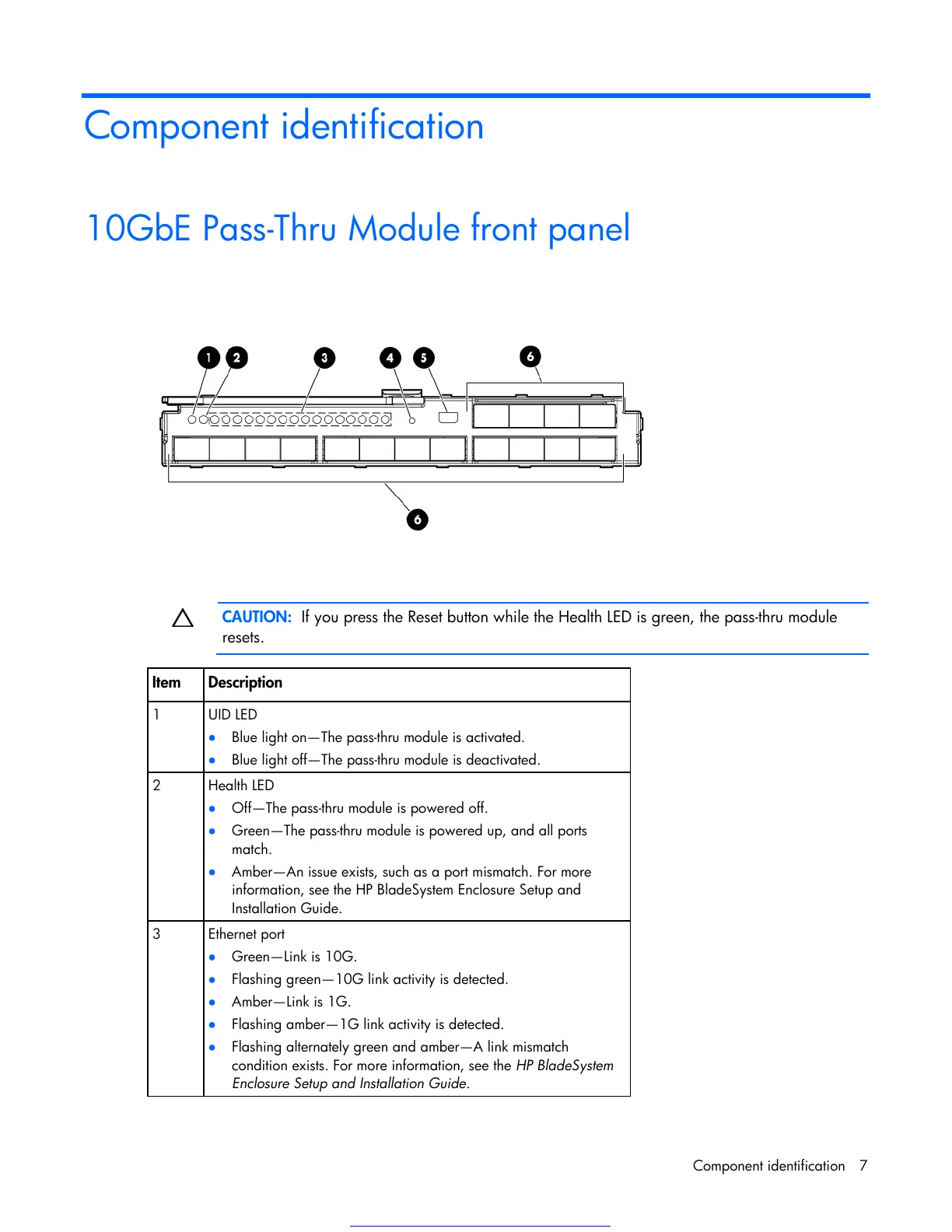
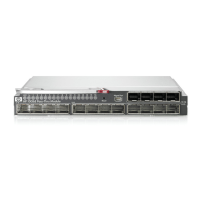
10GbE Pass-Thru Module front panel
CAUTION: If you press the Reset button while the Health LED is green, the pass-thru module
resets.
Item Description
1 UID LED
Blue light on—The pass-thru module is activated.
Blue light off—The pass-thru module is deactivated.
2 Health LED
Off—The pass-thru module is powered off.
Green—The pass-thru module is powered up, and all ports
match.
Amber—An issue exists, such as a port mismatch. For more
information, see the HP BladeSystem Enclosure Setup and
Installation Guide.
3 Ethernet port
Green—Link is 10G.
Flashing green—10G link activity is detected.
Amber—Link is 1G.
Flashing amber—1G link activity is detected.
Flashing alternately green and amber—A link mismatch
condition exists. For more information, see the HP BladeSystem
Enclosure Setup and Installation Guide.
Get other manuals https://www.bkmanuals.com


 To Next Page