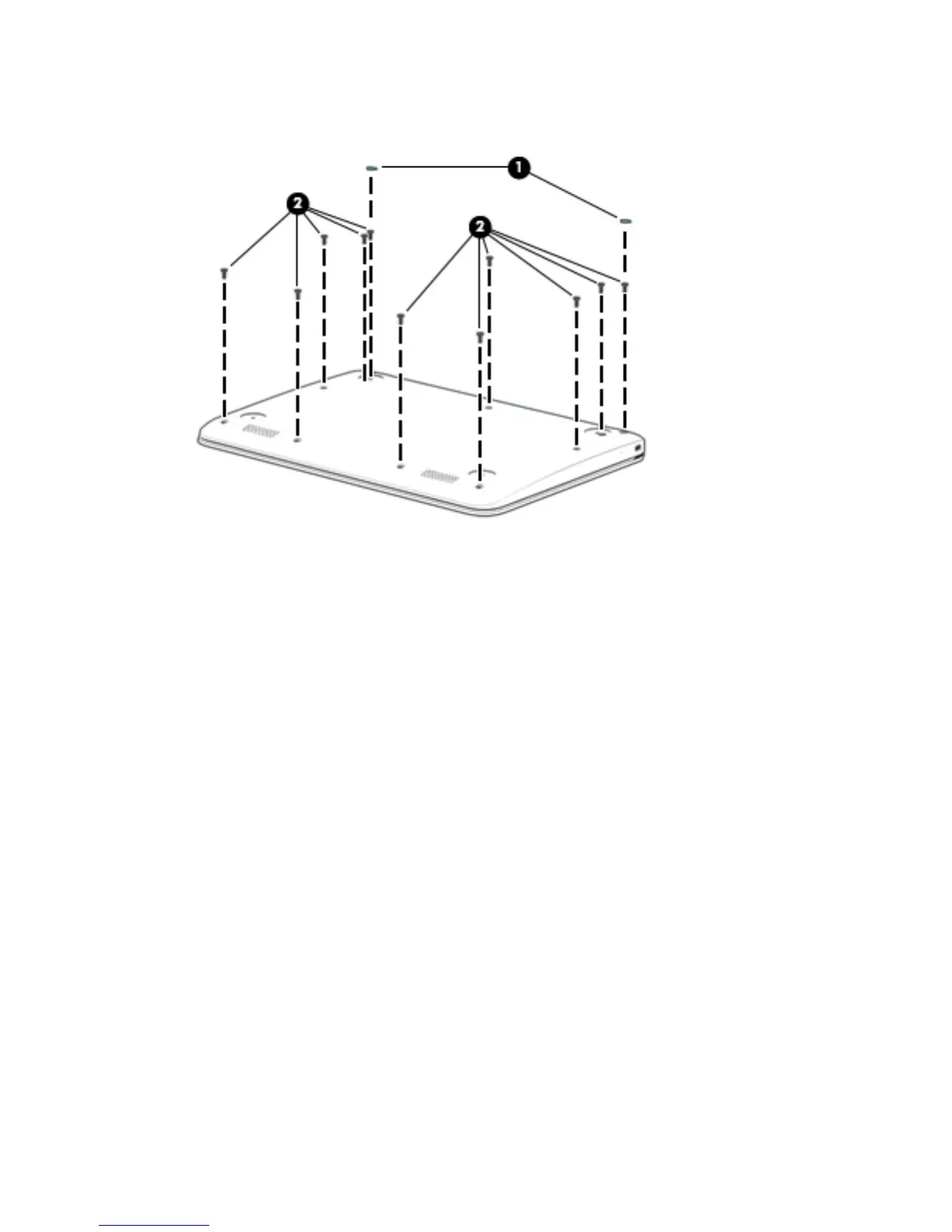
2. Remove the eleven Phillips PM1.9×6.7 screws (2) that secure the keyboard/top cover to
the base enclosure.
3. Turn the computer right side up with the front toward you.
4. Open the computer as far as it will open.
5. Lift the front edge (1) of the keyboard/top cover until it separates from the front edge of
the base enclosure.
6. Lift the left (2) and right sides of the keyboard/top cover until they separate from the left and right sides
of the base enclosure.
26 Chapter 5 Removal and replacement procedures





 To Next Page