Heat sink
Description Spare part number
Heat sink (includes replacement thermal material) 825376-001
Before removing the heat sink, follow these steps:
1. Turn o the computer. If you are unsure whether the computer is o or in Hibernation, turn
the computer on, and then shut it down through the operating system.
2. Disconnect the power from the computer by unplugging the power cord from the computer.
3. Disconnect all external devices from the computer.
4. Remove the keyboard/top cover (see Keyboard/top cover on page 24).
Remove the heat sink:
1. Turn the keyboard/top cover upside down with the front toward you.
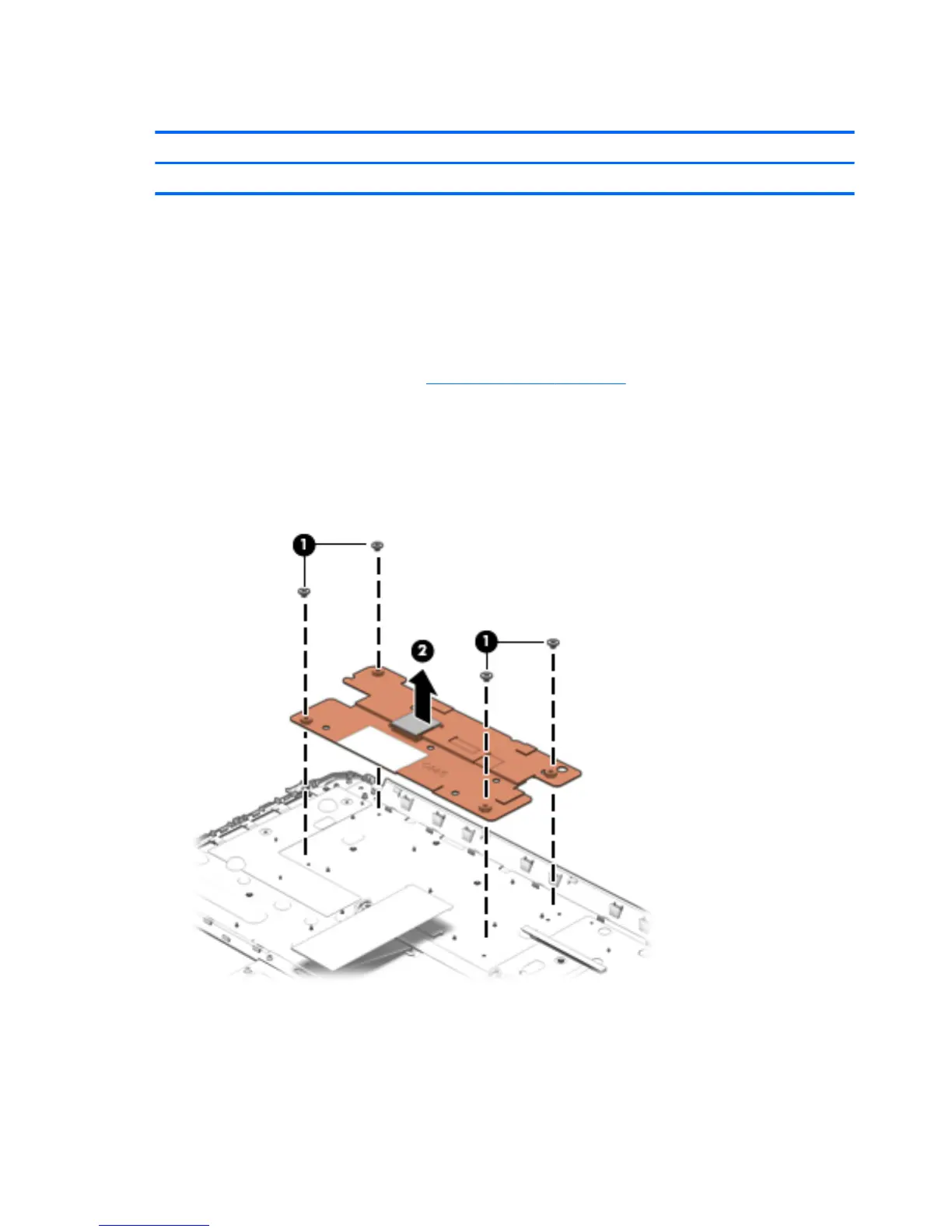
2. Remove the four Phillips PM1.9×2.3 screws (1) that secure the heat sink to the keyboard/top cover.
3. Remove the heat sink (2).
Reverse this procedure to install the heat sink.
30 Chapter 5 Removal and replacement procedures





 To Next Page