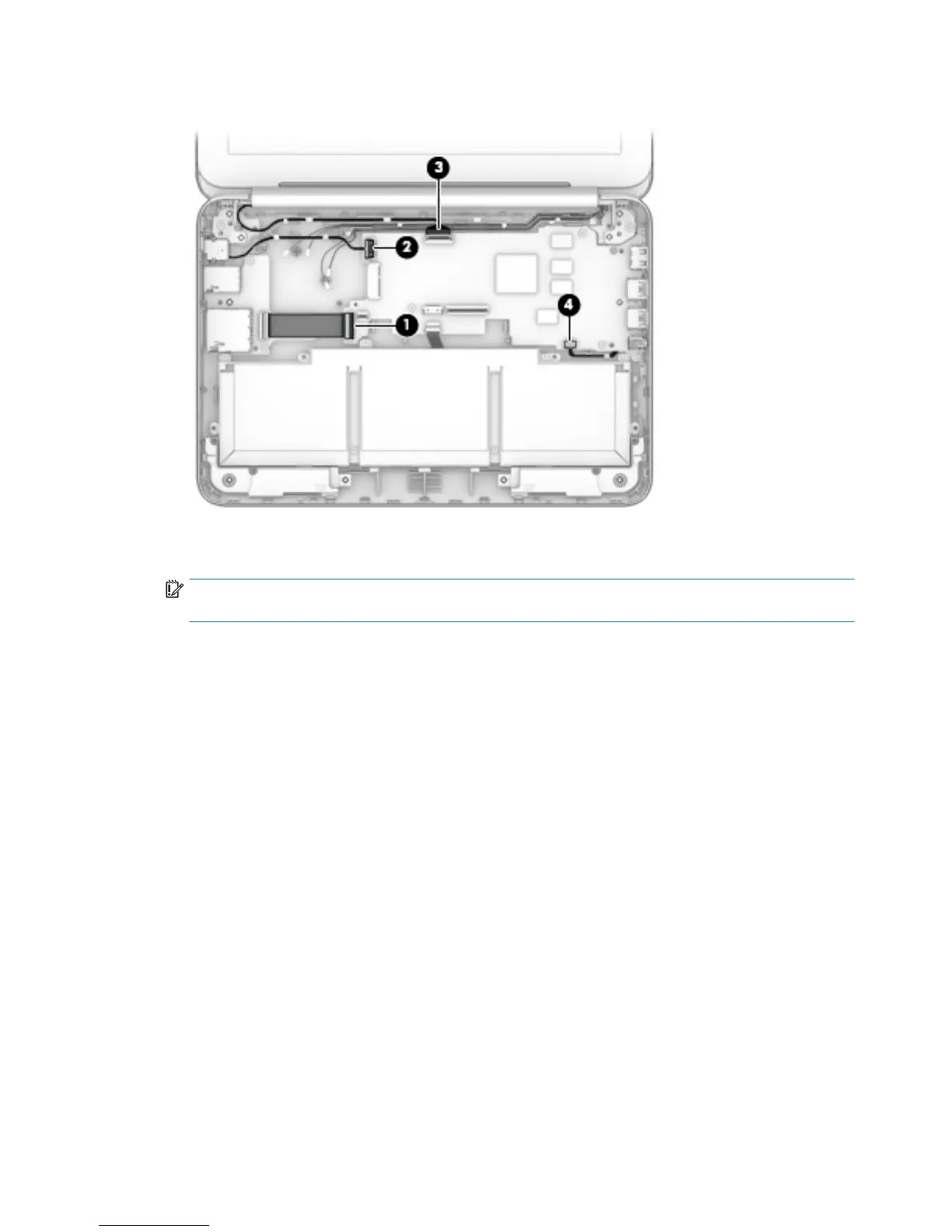
4. Disconnect the speaker cable (4) from the system board.
5. Remove the two Philllips PM2.5×3.7 broad head rmware screws (1) that secure the system board to
the base enclosure.
IMPORTANT: The rmware screws must be installed in the locations shown in the following image.
These screws have specic properties that ensure the proper operation of the computer.
6. Remove the four Philllips PM1.9×4.2 screws (2) that secure the system board to the base enclosure.
40 Chapter 5 Removal and replacement procedures





 To Next Page