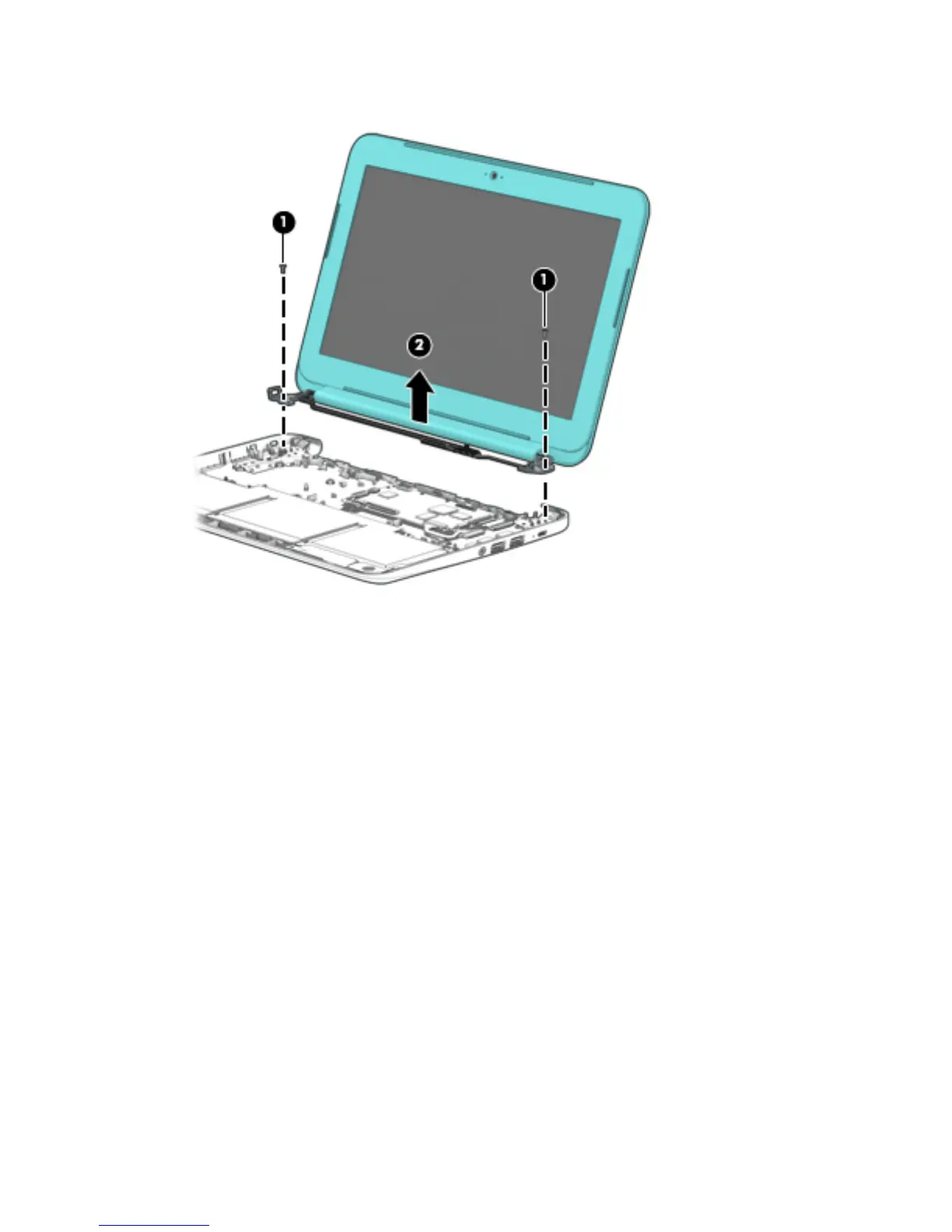
7. Remove the display assembly (2).
8. If it is necessary to replace the display bezel or any of the display assembly subcomponents:
a. Remove the two display bezel screw covers (1).
The display bezel screw covers are included in the Rubber Kit, available using the following spare
part numbers:
●
773211-001 — For use only on HP Chromebook 11 G4 computer models
●
822632-001 — For use only on HP Chromebook computer models in sky blue nish
●
822633-001 — For use only on HP Chromebook computer models in turbo silver nish
●
822631-001 — For use only on HP Chromebook computer models in smoke silver nish
44 Chapter 5 Removal and replacement procedures




 To Next Page