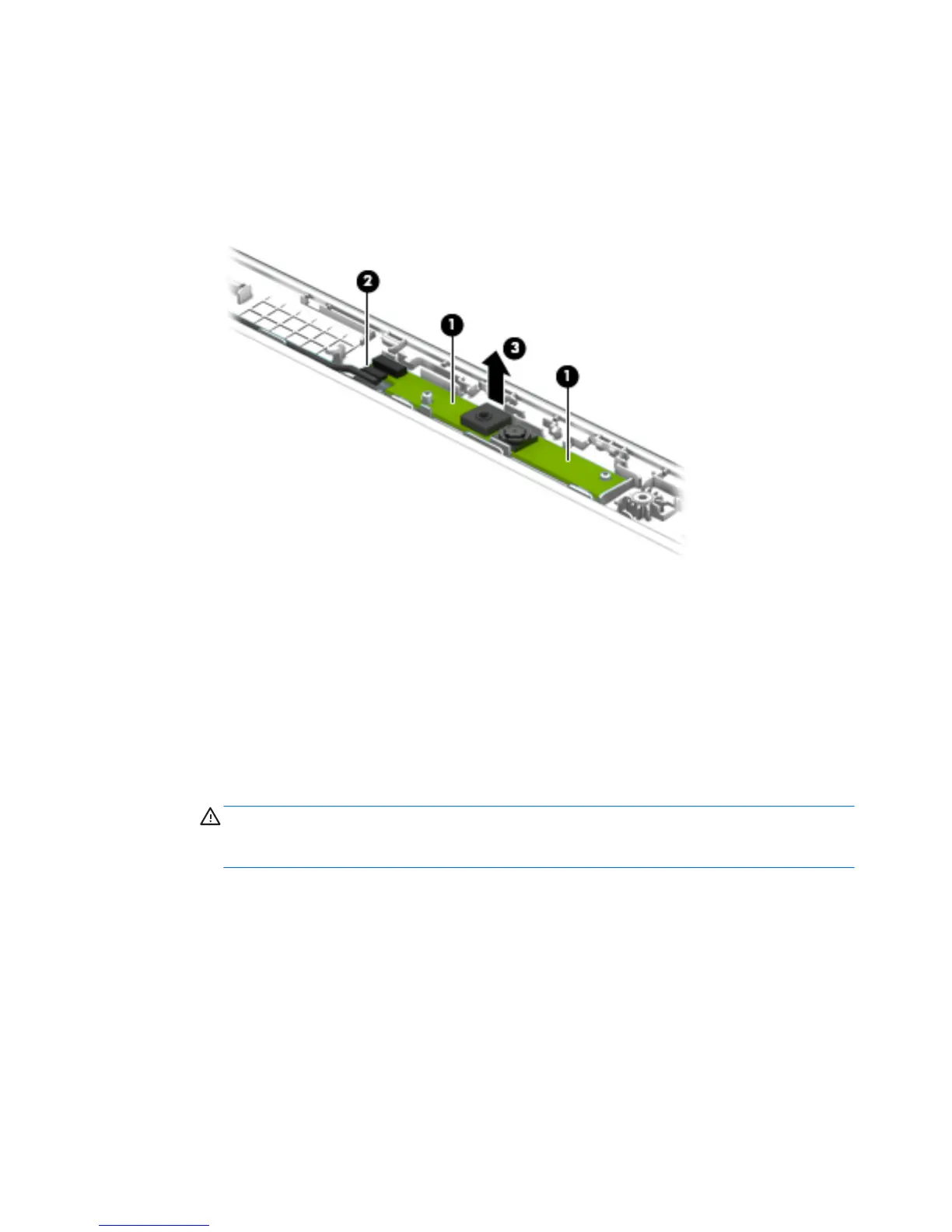
9. If it is necessary to replace the webcam/microphone module:
a. Detach the webcam/microphone module (1) from the display enclosure. (The webcam/microphone
module is attached to the display enclosure with double-sided adhesive at two locations.)
b. Disconnect the webcam/microphone module cable (2) from the webcam/microphone module.
c. Remove the webcam/microphone module (3).
d. Remove the webcam/microphone module.
The webcam/microphone module is available using spare part number 783088-001.
10. If it is necessary to replace the display panel:
a. Remove the four Phillips PM1.9×3.4 screws (1) that secure the display panel to
the display enclosure.
CAUTION: Before turning the display panel upside down, make sure the work surface is clear of
tools, screws, and any other foreign objects. Failure to follow this caution can result in damage to
the display panel.
46 Chapter 5 Removal and replacement procedures




 To Next Page