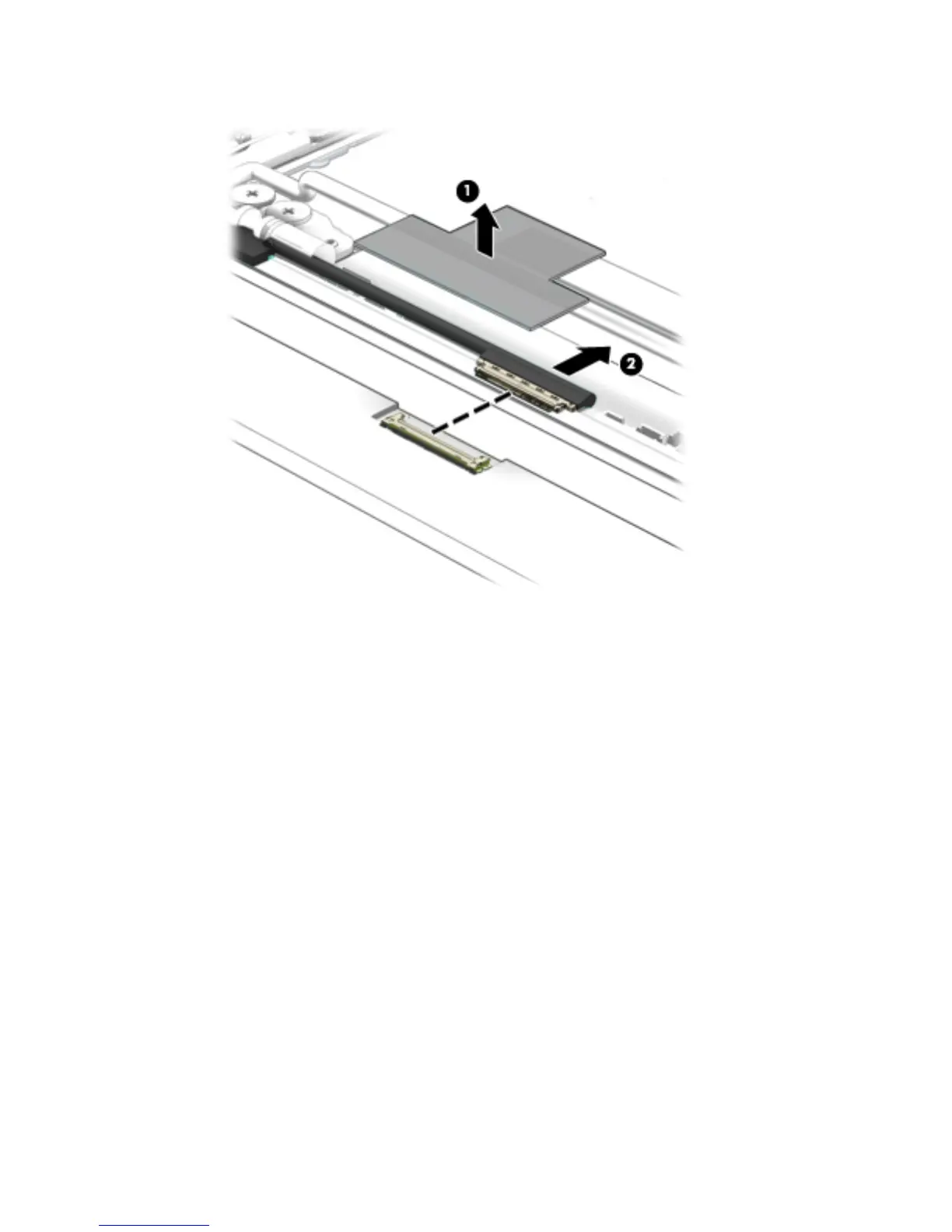
d. Disconnect the display panel cable (2) from the display panel.
e. Remove the display panel.
The display panel is available using spare part numbers 822629-001 (11.6-in, HD, AntiGlare,
(1366×768), UWVA, LED, slim [3.0-mm]) and 822630-001 (11.6-in, HD, AntiGlare, (1366×768),
SVA, WLED, at [3.6-mm]).
11. If it is necessary to replace the display panel cable:
a. Release the display panel cable from the retention clip (1) built into the left hinge.
b. Release the display panel cable from the retention clips (2) and routing channel built into the left
side of the display enclosure.
c. Release the grounding tape (3) that secures the display panel cable to the display enclosure.
48 Chapter 5 Removal and replacement procedures




 To Next Page