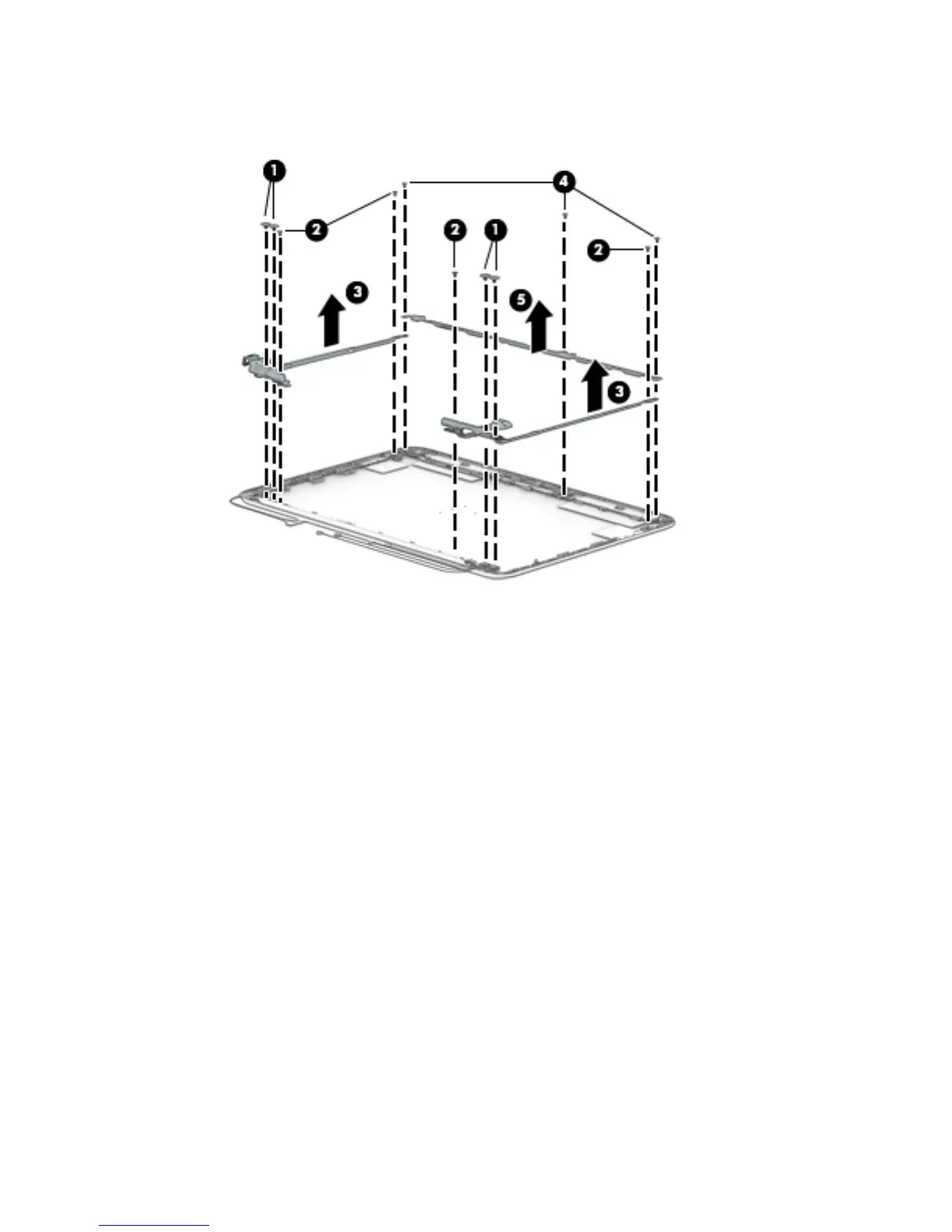
d. Remove the display panel bracket (5).
The display panel bracket is available using spare part number 783085-001.
13. If it is necessary to replace the WWAN antenna cables and transceivers:
a. Detach the WWAN antenna transceivers (1) from the display enclosure. (The WWAN antenna
transceivers are attached to the display enclosure with double-sided adhesive.)
b. Release the WWAN antenna cables from the clips (2) and routing channel built into the top and
right edges of the display enclosure.
50 Chapter 5 Removal and replacement procedures





 To Next Page