EasyManua.ls Logo

HP 16500A - Page 21

HP 16500A
34 pages
Print Icon
To Next Page IconTo Next Page
To Previous Page IconTo Previous Page
Loading...
To
insert
the
connector,
follow
these
steps:
1.
Hold
the
connector
so
that
the
two
spring
dips
are
facing
down
and
the
contacts
are
facing
up.
2.
Gently
push
the
connector
into
the
port
on
the
front
panel
until
it
clicks
into
place.
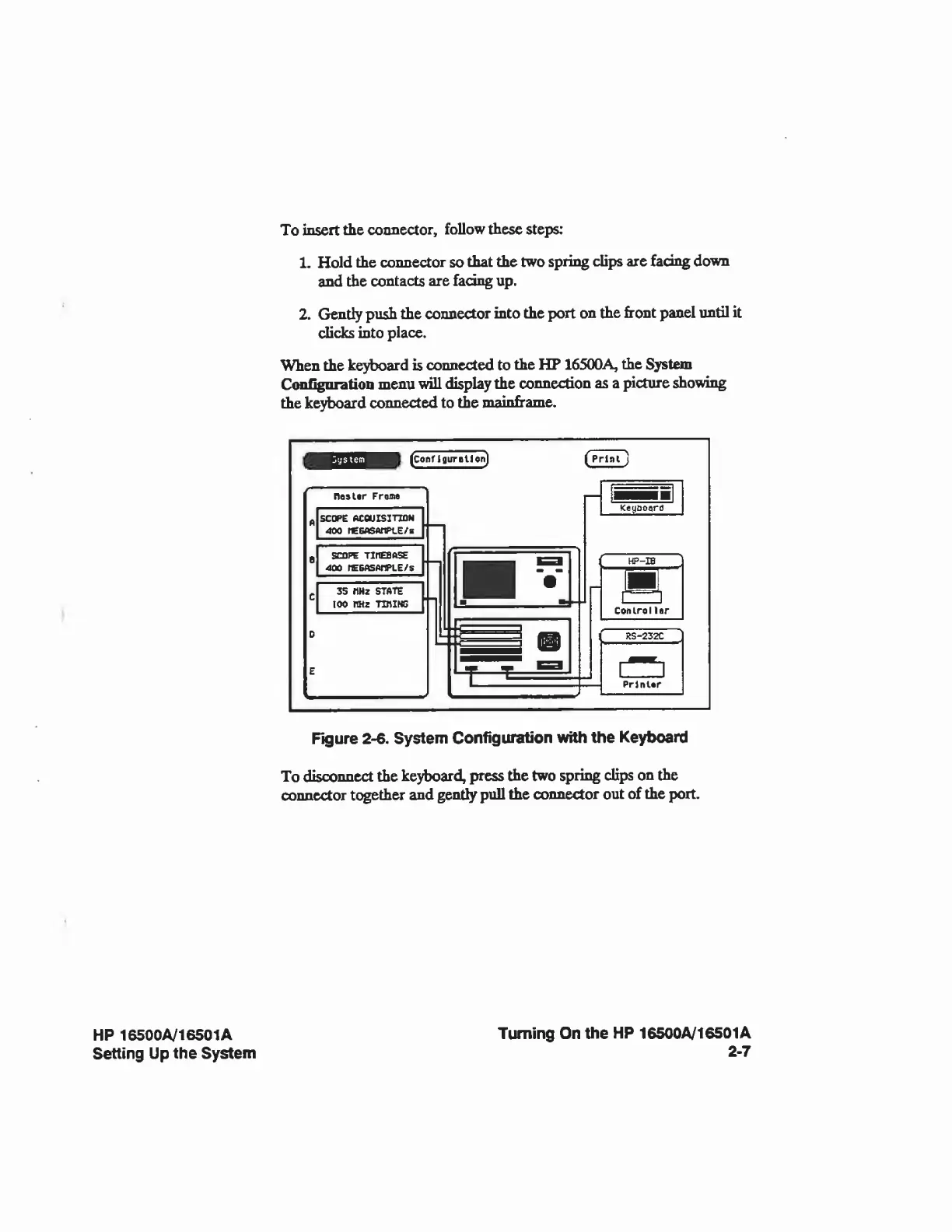
When
the
keyboard
is
connected
to
the
HP
1650OA,
the
System
Configuration
menu
will
display
the
connection
as
a
picture
showing
the
keyboard
connected
to
the
mainframe.
(Conf
IflurtHon)
Figure
2-6.
System
Configuration
with
the
Keyboard
To
disconnect
the
keyboard,
press
the
two
spring
clips
on
the
connector
together
and
gently
pull
the
connector
out
of
the
port.
HP
16500A/16501A
Setting
Up
the
System
Turning
On
the
HP
16500A/16501A
2-7

Related product manuals