2-1
Installing the Switch
2
Installing the Switch
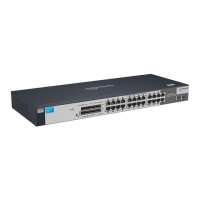
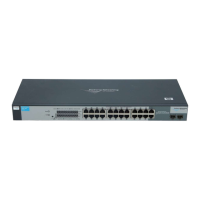
The ProCurve Switch 1800-24G device is easy to install. It comes with an
accessory kit that includes the brackets for mounting the switch in a standard
19-inch telco rack, in an equipment cabinet, and with rubber feet that can be
attached so the switch can be securely located on a horizontal surface. The
brackets are designed to allow mounting the switch in a variety of locations
and orientations. This chapter shows how to install the switch.
Included Parts
The following components ship with a ProCurve Switch 1800-24G:
■ ProCurve Switch 1800-24G Installation and Getting Started Guide
(5991-6249), this manual
■ Customer Support/Warranty booklet
■ Accessory kit (5064-2085)
■ Power cord, one of the following:
Japan Power Cord
Warning
• two mounting brackets
• eight 8-mm M4 screws to attach the mounting brackets to the switch
• four 5/8-inch number 12-24 screws to attach the switch to a rack
• four rubber feet
Australia/New Zealand
China
Continental Europe
Denmark
Japan
Switzerland
United Kingdom/Hong Kong/Singapore
United States/Canada/Mexico
South Africa
Israel
Thailand
Taiwan
8121-0833
8120-8377
8120-6802
8120-6806
8120-6804
8120-6807
8120-8709
8120-6805
8120-8929
8121-1009
8121-0673
8121-0964


 To Next Page
 Loading...