2-11
Installing the Switch
Installation Procedure
Installing the Switch
6. Installing or Removing mini-GBICs
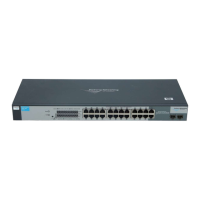
You can install or remove a mini-GBIC from a mini-GBIC slot without having
to power off the switch. Use only ProCurve mini-GBICs.
Note ■ The mini-GBIC slots are shared with 10/100/1000Base-T RJ-45 ports 23 and
24. If a mini-GBIC is installed in a slot, the associated RJ-45 port is disabled
and cannot be used.
■ The mini-GBIC ports operate only at full duplex. Half duplex operation is
not supported.
■ Ensure the network cable is NOT connected when you install or remove
a mini-GBIC.
The current supported mini-GBICs include the following:
■ ProCurve Gigabit-SX-LC mini-GBIC (J4858B)
■ ProCurve Gigabit-LX-LC mini-GBIC (J4859B)
■ ProCurve Gigabit-LH-LC mini-GBIC (J4860B)
Caution Use only supported genuine ProCurve mini-GBICs with your switch. Non-
ProCurve mini-GBICs are not supported, and their use may result in product
malfunction. Should you require additional ProCurve mini-GBICs, contact
your ProCurve Networking Sales and Service Office or authorized dealer.
Installing the mini-GBICs:
Remove the protective plastic cover and retain it for later use. Hold the mini-
GBIC by its sides and gently insert it into either of the slots on the switch until
the mini-GBIC clicks into place.
WARNING The ProCurve mini-GBICs are Class 1 and 1M laser devices. Avoid
direct eye exposure to the beam coming from the transmit port.


 To Next Page
 Loading...