EasyManua.ls Logo

HP 212A - Section LI OPERATING INSTRUCTIONS; Controls and Terminals; Sync Output

HP 212A
60 pages
Print Icon
To Next Page IconTo Next Page
To Previous Page IconTo Previous Page
Loading...
S
EC
TION
11
OPERATING
INSTRUCTIONS
Refer
to
the
Warranty
sheet
in
this
manual,
2-2
CONTROLS
AND
TERMINALS
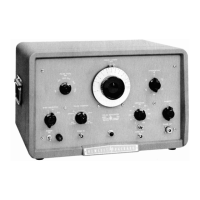
PULSE
OUT
This
terminal
is
a
Type
N
jack
located
at
the
lower
right
corner
of
the
front
panel.
It
is
the
output
connection
for
the
main
pulse.
SYNC
OUT
This
terminal
is
a
BNG
terminal
on
the
lower
right
side
of
the
panel.
This
terminal
provides
a
voltage
to
synchronize
an
osciLloscope
or
ather
device
for
use
with
the
Pulse
Generator.
+r
-
This
toggle
switch,
on
the
panel
above the
SYNC
OUT
terminal,
con-
trols
the
polarity
of
the
synchronizing
voltage
fed
to
the
SYNC
OUT
terminal.
SYNC
IN
The
SYNC
IN
terminal
is4a
BNC
connector
on
the
lower
left
side
of
the
panel.
A
voltage
can
be
fed
into
this
terminal
to
trigger
the
pulse
generating
circuit.
SYNC
SELECTOR
The
SYNC
SELECTOR
knob
selects
two
ranges
of internally
generated
pulse
rates,
and
also
selects
necessary
circuitry
for
external
syn-
chronization
from
either
positive
or
negative
externally
generated
sync
pulses.
PULSE
POSITION
The
PULSE
POSITION
control
adjusts
the
timing
between
the
MAIN
PUlSE
OUTPUT
and
the
SYNC
OUTPUT
pulse.
Its
main
use
is
to
poaition
the
main
pulse
on
an
oscilloscope
screen
when
the
oscil-
loscope
has
been
synchronized
with
the
SYNC
OUT
pulse.
PULSE
RATE
The
PULSE
RATE
control,
located
on
the
upper
left
hand
side
of
the
panel,
adjusts
the
repetition
rates
of
the
pulse
from
50
to
5000
cycles
per
second
in
conjunction with
the
X1
and
X10
position
of
the
SYNC
SELECTOR
switch.

Related product manuals