EasyManua.ls Logo

HP 212A - 2-3 Automatic Overload Relay Protection

HP 212A
60 pages
Print Icon
To Next Page IconTo Next Page
To Previous Page IconTo Previous Page
Loading...
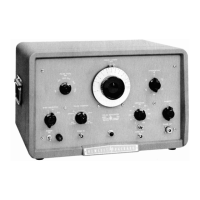
PULSE
WIDTH
The
PULSE
WIDTH
control
is
the
large
dial
at
the
center
of
the
panel
and
controls
the
width
of
the
MAIN OUTPUT
pulse.
AMPLITUDE
The
AMPLITUDE
control
gives
a
continuous
variation af
the
MAIN
OUT-
PUT
pulse.
ATTENUATION
The
ATTENUATION
control,
located
an
the
right
hand
side
of
the panel,
provides
attenuation
of
the
Main
pulse
in
10
db
steps
so
that
low
levels
of
pulse
output can
be
obtained.
POLARITY
The
POLARITY'control
at
the
lower
right
hand
side
of
the
panel
switches
the
polarity
of
the
MAIN
OUTPUT
pulse
from
positive
to
negative.
FUSE
The
fuseholder,
on
the
panel
next
to
the
POWER
ON
switch,
contains
a
4
ampere
cartridge
fuse.
A
2
ampere
fuse
should
be
used
when
the
power
transformer
is
connected
for
230V
operation.
The
fuse
may
be
replaced
by
unscrewing
the
fuseholder
cap
and
inserting
a
new
fuse.
2-3
AUTOMATIC
OVERLOAD
RELAY
PROTECTION
An
overload
relay
is
incorporated
in
the
instrument
to
protect
the
@
45~
thyratron
if,
for
any
reason,
continuous plate
current
conduction
occurs.
Operation
of
the
relay
is
indicated
by
a
buzzing
sound,
If
this
occurs
when
the
instrument
is
first
turned
on,
it
may
indicate
that
there
is
in-
sufficient
warm-up
and
turning
the
SYNC
SELECTOR
to
the
+
or
-
po-
sition
without
any
external
triggering
for
two
or
three
minutes
should
then
place
the
instrument
in
normal
operating
condition.
The
Model
21ZA
Pulse
Generator
is
operated
as
follows:
1.
Plug
the
power
cable
into
a
nominal
115V,
50
to
60
cycles
power
line
and
turn
on
the
toggle
switch.
(The
pilot
lamp
should light
when
the
swftch
is
on.
)
2.
Allow
several
minutes
for
the instrument
to
warm
up
with
the
SYNC
SELECTOR
in
the
t
or
-
position
and
with
no
sync
in,
Although the
unit
can
be
used
after
2
or
3
minutes
of
warm
up,
it
is
desirable
to
allow
about
ten
minutes
warm
up
time
if
possible.
3.
Connect
the
equipment
to
be
driven
to
the
PULSE
OUT
terminal.
This
connection
should
be
made,
if
possible,
through
a
nominal

Related product manuals